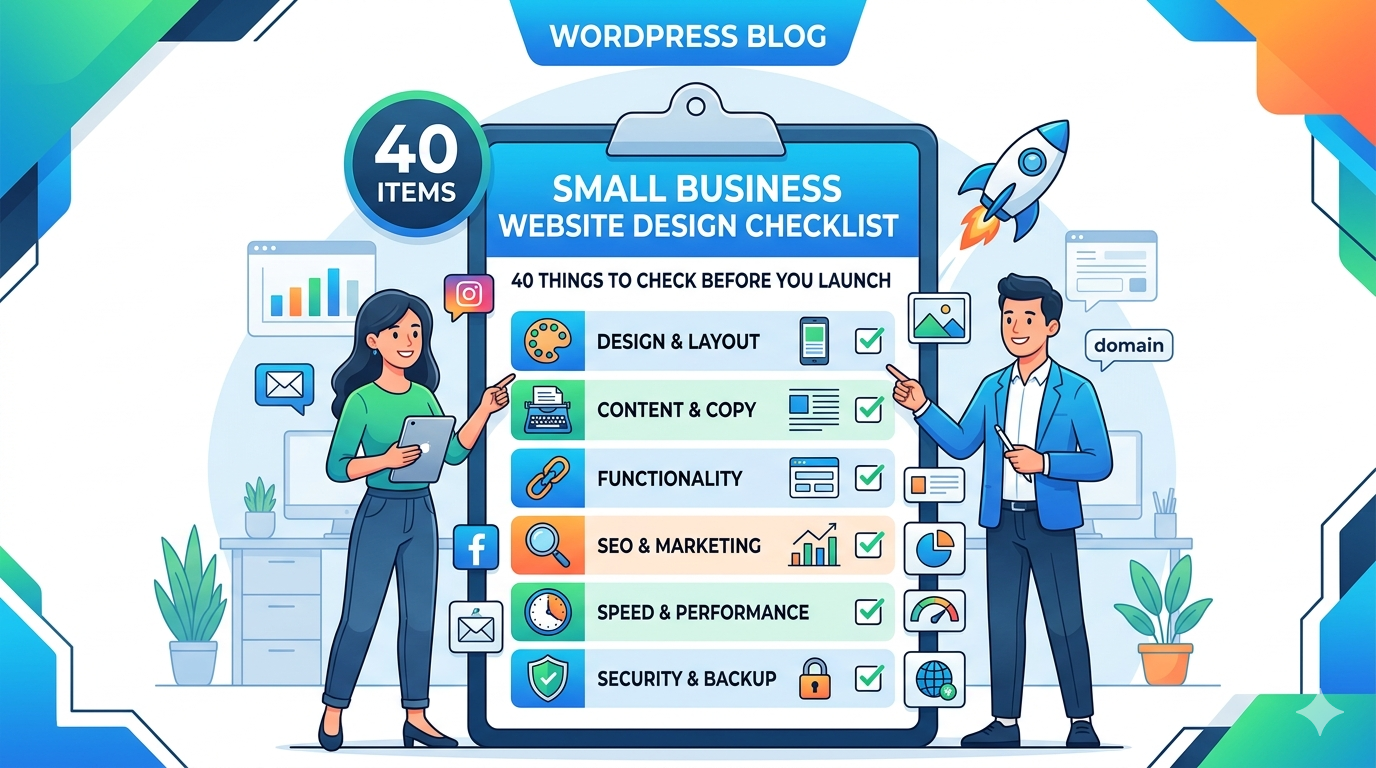
Whether you are launching a new website or auditing an existing one, having a systematic checklist prevents the embarrassing mistakes and costly oversights that are easy to miss when you are close to the project.
This small business website design checklist covers forty items across six categories: design and visual identity, content and copywriting, user experience and navigation, performance and technical SEO, conversion and lead generation, and launch and analytics. Work through it before any launch, and use it as a quarterly audit for sites already live.
Category 1: Design and Visual Identity
These checks confirm that the visual layer of your site looks professional, consistent, and appropriate for your brand.
- [ ] Logo is high-resolution and displays correctly at all sizes. Check on both desktop and mobile. The logo should not look blurry on Retina displays or distorted in the header.
- [ ] Color palette is consistent across all pages. Button colors, link colors, and background colors should follow a defined system, not vary from page to page.
- [ ] Typography is readable and consistent. Body text should be a minimum of 16px. Headings should follow a clear hierarchy (H1, H2, H3). No more than two or three font families across the site.
- [ ] Images are high-quality and on-brand. No pixelated or stretched images. Stock photography should feel authentic, not obviously generic. Real photos of your team, space, or products are significantly more credible.
- [ ] Whitespace is used effectively. Pages should not feel cramped. Content needs room to breathe, generous margins, padding between sections, and spacing between paragraphs.
- [ ] The site looks professional on mobile. Navigate the entire site on an actual smartphone (not just a browser resize). Check every page, issues often appear on interior pages, not just the homepage.
- [ ] Favicon is set. The small icon in the browser tab should match your brand. A missing favicon is a small but visible sign of incomplete work.
Category 2: Content and Copywriting
These checks confirm that the words on your site do what they need to do: communicate value, build credibility, and drive action.
- [ ] The homepage value proposition is clear above the fold. A first-time visitor should be able to explain what you do, who you serve, and why you are worth considering within five seconds of arriving on the homepage.
- [ ] Every service or product page has sufficient content. Each page should have at least 400-600 words that genuinely explain what you offer, who it is for, and why it matters. Thin pages rank poorly and convert poorly.
- [ ] All content is up to date. Check for outdated pricing, discontinued services, former team members, and old dates. Outdated content erodes trust.
- [ ] Copy is written for the customer, not the company. Count how many times “we” and “our” appear versus “you” and “your.” Good website copy focuses on the customer’s problem and outcome, not the company’s features and credentials.
- [ ] There are no spelling or grammar errors. Run the full site through a grammar check tool. Errors on a professional website undermine credibility disproportionately.
- [ ] The About page tells a real story. The About page is often the second most visited page on a small business website. It should be genuinely human, who you are, why you do this, what makes you different, not a dry mission statement.
- [ ] Contact information is accurate and complete. Phone number, email, address (if applicable), and business hours should be consistent across the site, Google Business Profile, and any directories.
For a deeper look at what makes the content layer effective, see our guide on what makes a good small business website.
Category 3: User Experience and Navigation
These checks confirm that visitors can find what they need without frustration.
- [ ] Navigation has no more than seven primary items. More than seven creates cognitive overload. If you have many pages, use dropdown menus judiciously.
- [ ] Navigation labels are customer-friendly. “Services” and “Blog” are better than “Solutions” and “Insights.” Test your navigation labels with someone unfamiliar with your business.
- [ ] The site has a clear visual hierarchy on every page. The most important information should be most visually prominent. Visitors should know where to look without guessing.
- [ ] All internal links work. Broken internal links frustrate visitors and hurt SEO. Run the site through a broken link checker before launch.
- [ ] All external links work and open in a new tab. Links to external resources should not navigate visitors away from your site without warning.
- [ ] Forms submit correctly and send confirmation. Test every form on the site. Verify that submissions arrive, that the visitor sees a thank-you message, and that any email notifications work.
- [ ] The site works on multiple browsers. Test in Chrome, Safari, Firefox, and Edge. Mobile browsers (Safari on iOS, Chrome on Android) should also be tested separately.
- [ ] 404 page is customized. When visitors reach a broken or moved page, a custom 404 page keeps them on the site by offering navigation options rather than a generic error.
Category 4: Performance and Technical SEO
These checks confirm that the site is technically sound for both users and search engines.
- [ ] Core Web Vitals are in the Good range. Run the site through Google PageSpeed Insights and check LCP, CLS, and INP scores for mobile. Target LCP under 2.5s, CLS under 0.1, INP under 200ms.
- [ ] Site loads in under 3 seconds on mobile. Use PageSpeed Insights or GTmetrix to verify. Most visitors will leave if the site takes longer.
- [ ] All images are compressed and properly sized. Images are the most common cause of slow mobile load times. Every image should be compressed and served at the appropriate resolution for its display size.
- [ ] The site has an SSL certificate (HTTPS). A site without HTTPS shows a “Not Secure” warning in browsers and ranks lower in search. This should be non-negotiable.
- [ ] The site is mobile-friendly. Run through Google’s mobile-friendly test. For a deeper look at what mobile-first design means, see our mobile-first design guide.
- [ ] Every page has a unique, keyword-optimized title tag. Title tags appear in search results. Each should be unique, include the primary keyword for that page, and stay under 60 characters.
- [ ] Every page has a meta description. Meta descriptions appear in search results. They do not directly affect rankings but affect click-through rates. Each should be unique, under 155 characters, and written as a brief value pitch.
- [ ] Heading structure is logical (one H1 per page, proper hierarchy). The H1 should contain the primary keyword and describe the page accurately. H2 and H3 headings should follow a logical structure.
- [ ] An XML sitemap exists and is submitted to Google Search Console. A sitemap helps Google find and index all your pages. Most CMS platforms generate this automatically.
- [ ] The robots.txt file does not block important pages. A misconfigured robots.txt can accidentally prevent Google from indexing your site. Verify that it is not blocking pages you want ranked.
Category 5: Conversion and Lead Generation
These checks confirm that the site is set up to capture leads and drive the actions that grow your business.
- [ ] Every page has one primary call to action. The CTA should be visible without scrolling and use specific action language (“Book a Free Consultation,” not “Contact Us”).
- [ ] The contact form is short and functional. Three to five fields is the target for a lead form. Every additional field reduces submission rate. Test the form from the visitor’s perspective on mobile.
- [ ] Phone number is click-to-call on mobile. A phone number formatted as a tel: link lets mobile visitors call with one tap. This is one of the highest-impact mobile conversion fixes.
- [ ] Trust signals are present on key pages. Reviews, ratings, credentials, client logos, or named testimonials should appear on the homepage and any high-intent pages (services, pricing, contact).
- [ ] There is a clear next step for every visitor intent. Visitors arrive with different readiness levels. Make sure there is a clear path for visitors who are ready to buy, for those who are comparing options, and for those who are in early research mode.
- [ ] The thank-you page confirms what happens next. After a form submission, visitors should see a confirmation that sets expectations: “We will contact you within one business day.” This reduces anxiety and builds trust.
If your site is struggling with conversion, see our guide on signs your website is costing you customers for a diagnostic framework.
Category 6: Analytics, Tracking, and Launch
These checks confirm the site is ready to measure performance and be found by search engines.
- [ ] Google Analytics is installed and collecting data. Set up Google Analytics 4 before launch. Verify that data is flowing correctly by checking real-time reports during a test visit.
- [ ] Google Search Console is connected. Search Console shows how Google sees your site, which pages are indexed, which keywords you rank for, which pages have errors. Submit your sitemap here at launch.
- [ ] Goal tracking is configured in Analytics. Form submissions, phone calls, and other conversion actions should be tracked as Goals in Google Analytics. Without this, you cannot measure what the site is actually producing.
- [ ] All social media links are correct and active. Test every social media icon in the footer. Broken or outdated links are visible and unprofessional.
- [ ] The old site is properly redirected (if relaunching). If you are replacing an existing site, 301 redirects should point old URLs to the new equivalents. Without redirects, you lose the ranking authority built by existing pages.
- [ ] The site is tested on real devices before launch. Emulators in browsers are not sufficient. Test on at least one real iPhone (Safari) and one Android device (Chrome) before the site goes live.
Using This Checklist for an Existing Site Audit
This checklist works equally well as an audit tool for a site already live. Work through each item and note which checks fail. The items in the Performance and Conversion categories most directly affect lead generation and SEO, prioritize those if you need to triage.
If the audit reveals significant gaps in your current site, our guide on website design for small business covers the full picture of what a high-performing site looks like and what the path to getting there involves.
Get Expert Help With Your Website
At DevVerx, we run this kind of audit on every site before we take on a redesign or optimization project. It tells us exactly where the gaps are and what will produce the highest return on a design investment.
Our UI/UX design services are built around making small business websites perform, not just look good. We design mobile-first, optimize for Core Web Vitals, and set up proper tracking before anything goes live.
Our 4.8/5 client rating reflects the kind of work that holds up when you actually go through a checklist like this one.
Ready for an honest assessment of your site? Contact DevVerx and we will walk through where your site is leaving leads on the table, and what it would take to fix it.