Most small business owners who hire a developer to build their online store end up with something they didn’t expect – not because the developer did bad work, but because they went into the project without a clear picture of what they actually needed.
The wrong platform choice. The wrong feature scope. The wrong hosting. The wrong maintenance plan. Problems that are expensive to fix after the build and cheap to avoid before it.
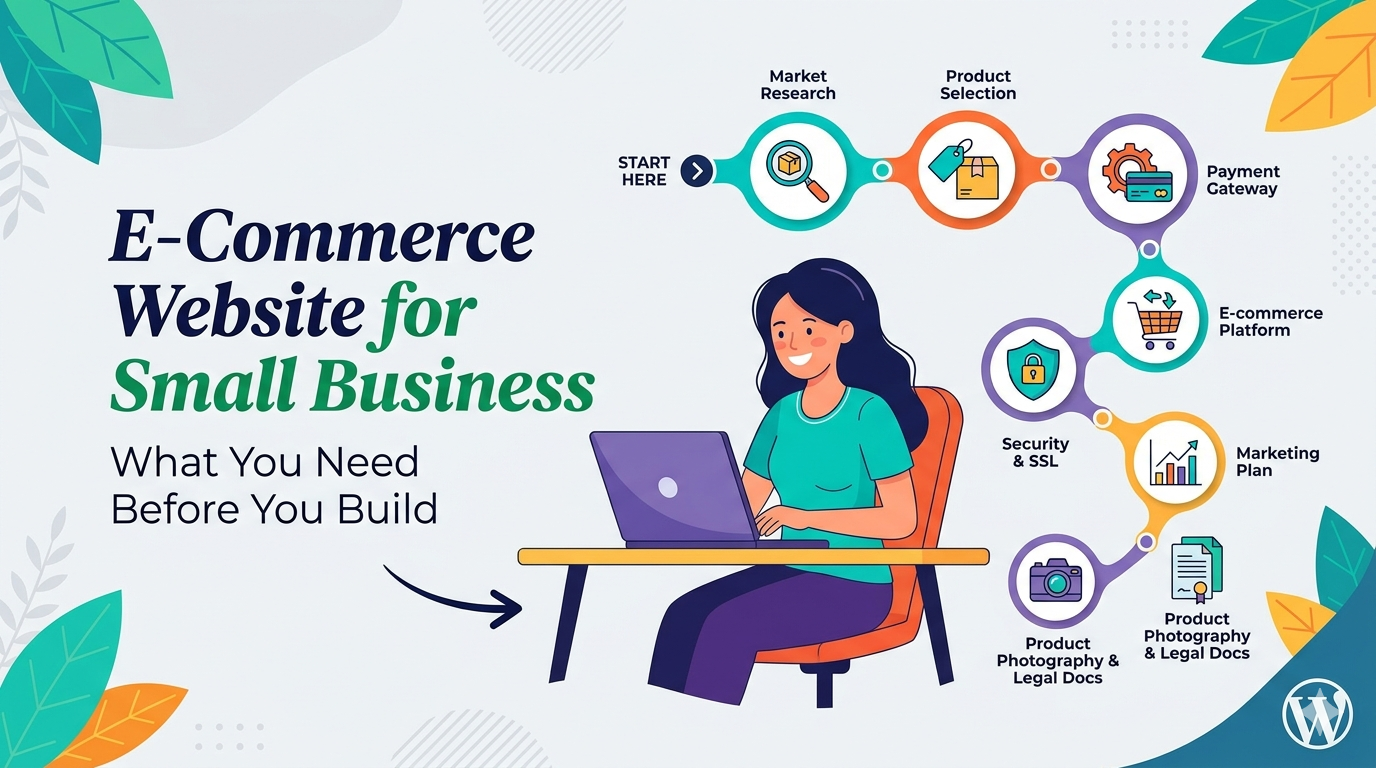
This guide is about the preparation. What to understand before you talk to a developer, what decisions to make before the project starts, and what six things small businesses consistently get wrong when building their first (or second) online store.
6 Things Small Businesses Get Wrong About E-Commerce
1. Treating the build cost as the total cost
The development invoice is the most visible number. It’s not the whole picture.
After launch: hosting ($30–$80/month), maintenance ($150–$300/month), payment processing (2.9% + $0.30 per transaction), apps or plugin licenses ($50–$200/month), and any ongoing development for new features. A store that costs $10,000 to build might cost $4,000–$6,000/year to operate properly.
Plan for both. A “cheaper” build on bad hosting with no maintenance plan will cost more within 18 months.
2. Choosing a platform for the wrong reasons
“My competitor uses Shopify” or “my cousin knows WooCommerce” are not platform selection criteria.
Platform choice should be based on: where your growth strategy lives (content/SEO vs. product/POS), whether you already have a WordPress site, your realistic budget for monthly recurring costs, and whether you have any requirements – subscriptions, configurators, B2B pricing – that one platform handles better than another.
See our Shopify vs. WooCommerce vs. custom comparison for the decision framework.
3. Underestimating mobile checkout
Over 60% of e-commerce traffic is mobile. According to StatCounter’s platform comparison data, mobile’s share of web traffic has grown consistently for years. The vast majority of cart abandonment happens on mobile. A checkout that works perfectly on desktop but has small form fields, slow load times, or a broken payment flow on a phone is losing you sales every day it’s live.
“Mobile responsive” is not the same as “mobile optimized.” Test your checkout – or any developer’s portfolio – on a real phone before you accept the project as complete.
4. Skipping SEO setup at launch
Meta titles, descriptions, URL structure, schema markup, XML sitemap – these should be configured before the site goes live, not three months later when you realize no one is finding the store on Google.
Retroactive SEO on a live store is harder, slower, and more expensive than getting it right at launch. Make SEO configuration a delivery requirement, not an optional extra.
5. No plan for what happens after launch
A WordPress site accumulates unpatched plugins. An unmaintained store is a security risk, a performance liability, and eventually an emergency. “We’ll handle updates ourselves” is something teams say until the first time they break the store updating a plugin.
Before you sign with an agency, ask explicitly: what is the post-launch maintenance model? Monthly retainer with defined services is the right answer. “We’re available for questions” is not.
6. Starting with too much
A 300-product catalog you’re still building, five custom features that aren’t really essential, a rewards program for a store with no customers yet – scope creep before the build starts is the most reliable way to blow your budget and your launch timeline.
Start with the minimum you need to generate your first sales. Add features when the business has validated them. The store is not finished when you launch – it’s just started.
Platform Decision for Small Businesses
Most small businesses are choosing between Shopify and WooCommerce. Here’s the honest version:
Shopify makes sense if: You’re launching a product-only business with a simple catalog, you don’t have an existing WordPress website, and you want to start selling within the next few weeks without managing hosting or security.
WooCommerce makes sense if: You already have a WordPress site (adding e-commerce to an existing site is dramatically cheaper than rebuilding), content marketing is part of your growth plan, or you want full control over your data and lower long-term monthly costs.
Custom development is rarely the right starting point for a small business’s first store. It’s the right answer when your business model – multi-vendor, complex configuration, deep B2B workflows – genuinely doesn’t fit either platform.
For the full comparison, see our Shopify vs. WooCommerce vs. custom guide.
Must-Have Features for a Small Business E-Commerce Store
Not everything on a feature wishlist is worth building in the first version. These are genuinely must-haves:
Simple, fast checkout: Three steps maximum from cart to confirmation. Guest checkout available – don’t require account creation before purchase. Multiple payment options (credit card and PayPal at minimum). This is where revenue is made or lost.
Mobile-optimized product pages: Large images, easy-to-tap add-to-cart button, clear size/variant selection, reviews visible without excessive scrolling. Test on your phone.
Product search that works: A customer who searches for a product and can’t find it leaves. Basic search that returns relevant results is non-negotiable for any catalog larger than 20 items.
Clear shipping and return information: When will it arrive? What if I want to return it? Customers read this before buying. Make it easy to find from product pages.
Order confirmation email: Automatic, includes order details, arrives within seconds. Every customer expects this. If it doesn’t work or lands in spam, you have a problem.
SSL and basic security: HTTPS is required. Google flags non-HTTPS sites as “Not Secure.” No one enters payment information on an insecure site.
What you don’t need on day one: a loyalty program, a referral system, a complex custom configurator, personalized recommendations, or a subscription model – unless your business model specifically requires it.
Mobile Checkout Priority
Your mobile checkout experience is your conversion rate.
Cart abandonment on mobile consistently runs 10–15 percentage points higher than on desktop. The reasons are almost always execution: slow page load, small form fields, payment entry friction, checkout steps that require excessive scrolling.
When evaluating a development agency’s portfolio, open their e-commerce work on your phone and go through the checkout to the payment screen. If you feel friction – slow transitions, form fields that don’t trigger the right keyboard type, a non-obvious progression from one step to the next – their clients’ customers feel it too.
A mobile-first build means the mobile checkout was designed first, not adapted. Ask any agency: do you design mobile-first or responsive-from-desktop?
SEO for E-Commerce Small Businesses
E-commerce SEO for small businesses has a practical priority order:
1. Product and category page titles and descriptions: Every product page should have a unique, keyword-relevant title tag and a meta description written for human click-through. Auto-generated titles from product names alone leave traffic on the table.
2. URL structure: /product/blue-running-shoes-mens-size-10 is indexable and meaningful. /products?id=4821 is not. Configure this before you upload your catalog – changing URLs after launch requires redirects.
3. Product schema markup: Enables rich results in Google (star ratings, price, availability). A professional build includes this at launch.
4. Category page content: Category pages (“Men’s Running Shoes,” “Kitchen Appliances Under $50”) can rank for high-volume product-type searches. A brief introduction paragraph with relevant keywords helps Google understand what the page is about.
5. Site speed: PageSpeed affects ranking. Mobile speed specifically correlates with both organic rankings and paid traffic quality scores. Aim for PageSpeed mobile 75+.
6. Google Search Console: Connected on launch day, sitemap submitted. This is how you verify Google is indexing your pages and how you track early ranking signals.
For a complete e-commerce SEO setup walkthrough, see our how to build an online store guide.
Planning Your Project Before Hiring Anyone
The more clearly scoped your project before you contact an agency, the more accurate your quotes and the fewer surprises during the build.
Product inventory: How many products? Simple or variable? Any downloadable products? Subscriptions? List each product type and SKU count. This is the single biggest driver of project scope.
Feature list: What does the store need to do beyond basic buy/sell? Appointment booking? Custom product configuration? B2B wholesale pricing? Integration with an existing system (POS, inventory, CRM)? Name every feature requirement – and mark which are essential vs. nice-to-have.
Content readiness: Photography, product descriptions, brand copy – what exists and what needs to be created? Some agencies include copywriting; most don’t include photography. Understand your content gaps before the project starts.
Design direction: Three to five URLs of sites you like, with notes on what specifically you like. “Make it look professional and modern” is not a brief. “I like the category page layout of Site A and the product page simplicity of Site B” is actionable.
Budget range: You don’t need a precise number, but knowing whether you’re working with $5,000 or $15,000 saves both parties a conversation. Agencies can tell you immediately whether the scope you’re describing fits the budget you have.
How DevVerx Approaches E-Commerce for Small Business
We build custom WooCommerce stores and e-commerce applications for US small businesses, with a 4.8/5 verified client rating. Our focus is stores where the website is expected to generate real revenue – not placeholder presences.
For most small businesses, WooCommerce is the right platform: full ownership, better long-term cost structure, and WordPress’s content infrastructure if SEO is part of the growth plan. We build custom themes from code – no Elementor – with performance optimization from the start and SEO configured before launch.
If Shopify is genuinely the right answer for your situation, we’ll tell you. Our business is built on honest advice, not project acquisition.
Book a free strategy call – we’ll give you a platform recommendation and budget range before the end of the first conversation.
For more on what professional e-commerce development involves from start to finish, see our complete e-commerce website development guide.
Frequently Asked Questions
What’s the best e-commerce platform for a small business?
It depends on your situation. Shopify is best for simplicity, speed to launch, and retail POS. WooCommerce is best when content marketing is your growth strategy, you have an existing WordPress site, or you want full data ownership. There’s no single best answer – there’s the best fit for your specific requirements.
How much does a small business e-commerce website cost?
Template-based builds: $2,000–$6,000. Custom WooCommerce: $8,000–$20,000. Plan for $300–$600/month in ongoing operating costs (hosting, maintenance, payment processing). See our e-commerce cost guide for the full breakdown.
Do I need a developer to build an e-commerce website for my small business?
For a simple Shopify store: not necessarily. For WooCommerce with performance optimization and custom design: yes. For any store with complex features, integrations, or a content-driven SEO strategy: yes. The ROI on professional development is measurable in load speed, search rankings, and conversion rate.
How long does it take to build a small business e-commerce site?
Template-based: 2–4 weeks. Custom WooCommerce: 4–8 weeks. Product readiness (photography, descriptions) is often the biggest timeline variable – have your catalog ready before development starts.
What should I have ready before hiring an e-commerce developer?
Product list (types and SKU counts), feature requirements, design direction (URLs of sites you like), content inventory (what exists vs. what needs to be created), and a realistic budget range. The more specific your brief, the more accurate your quotes.