A website redesign has a lot of moving parts and the ones that get missed tend to be the ones that hurt most. Skipping a redirect can drop your Google rankings. Missing a broken form means lost leads. Forgetting to reconnect your analytics means flying blind for months.
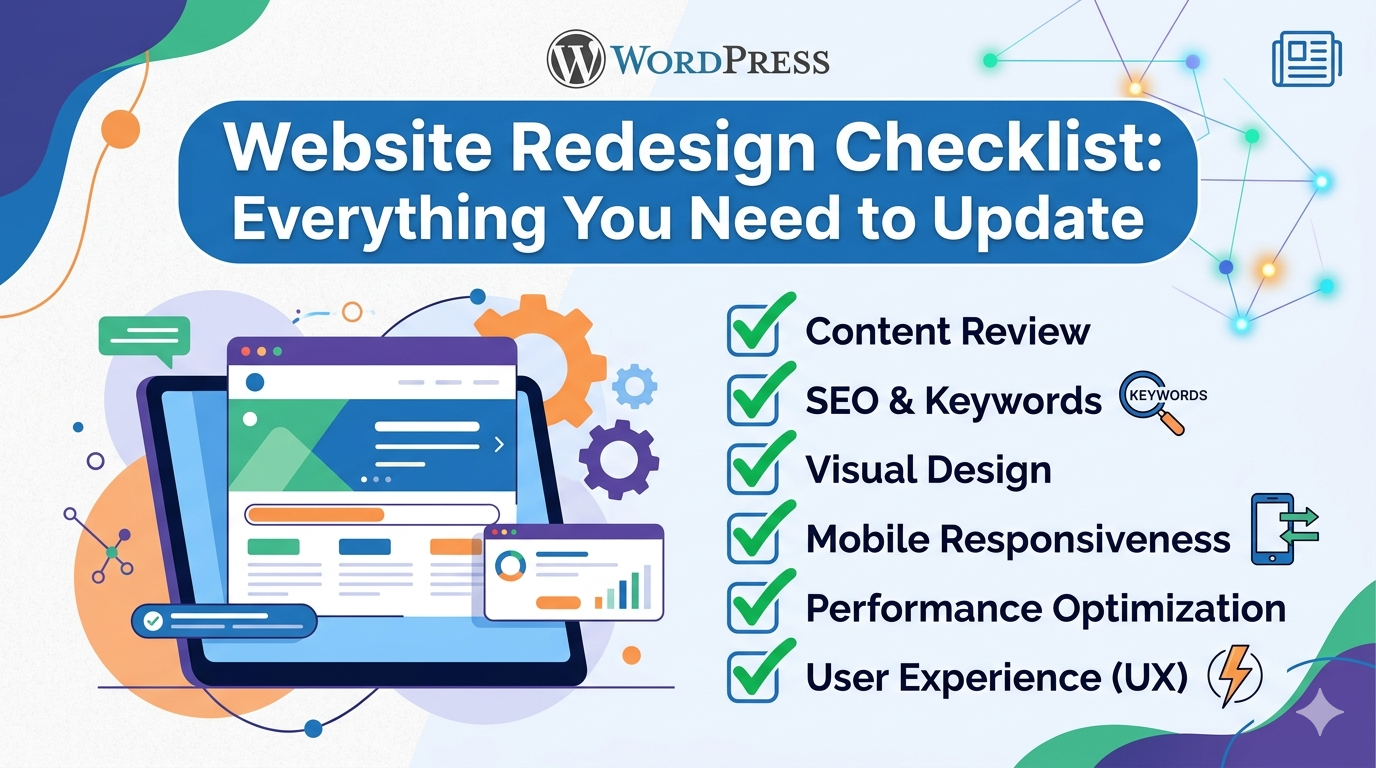
This website redesign checklist gives you a complete reference for every phase of the redesign process. Use it as an ongoing reference whether you’re managing the project yourself or working with an agency. The goal is simple: launch a site that works correctly from day one, preserves what was already working, and improves what wasn’t.
Before You Start: Pre Redesign Audit
Before building anything new, document what you already have. This baseline prevents you from accidentally discarding things that were working.
Traffic and Performance Audit
- [ ] Export Google Analytics data for the past 12 months identify your top 20 highest traffic pages
- [ ] Export Google Search Console data which keywords and pages are driving impressions and clicks?
- [ ] Note your current bounce rate, average session duration, and conversion rate
- [ ] Identify your highest converting pages (these need the most careful preservation)
- [ ] Record your current Core Web Vitals scores (LCP, CLS, FID) using Google PageSpeed Insights
Content Inventory
- [ ] Create a spreadsheet listing every page on your current site, its URL, and its traffic
- [ ] Mark each page: Keep as is / Update / Merge / Remove
- [ ] Identify all blog posts and decide which to migrate, update, or retire
- [ ] Catalog all downloadable assets (PDFs, guides, whitepapers) and their current URLs
- [ ] List all forms on the site and which integrations they connect to (CRM, email marketing, etc.)
Technical Inventory
- [ ] Document all third party integrations (Google Analytics, CRM, payment gateways, booking tools)
- [ ] Note your current hosting provider and any performance constraints
- [ ] Record your domain registrar and DNS settings
- [ ] Check for any existing structured data markup (schema.org) that needs to be preserved
- [ ] Note your current SSL certificate and expiry date
Not sure what to look for during your audit? Read our guide on signs your website is costing you customers it covers the performance signals most worth investigating before a redesign.
Phase 1: Strategy and Planning Checklist
Goals and Success Metrics
- [ ] Define the primary goal of the redesign (more leads, better rankings, mobile experience, rebranding)
- [ ] Set specific, measurable success metrics (e.g., “increase conversion rate from 1.2% to 2.5%”)
- [ ] Identify the three most important pages for your business (usually: Home, main Service page, Contact)
- [ ] Define your target audience with specificity who are they, what do they need, and what’s their buying process?
Competitor Research
- [ ] Audit the top three competitor websites what are they doing better?
- [ ] Note competitor site speed, mobile experience, content depth, and CTA strategy
- [ ] Identify design patterns in your industry that visitors will expect to see
- [ ] Find gaps what are competitors not doing well that you can do better?
Technology Decisions
- [ ] Confirm the platform for the new site (WordPress, custom build, e-commerce platform)
- [ ] Decide which existing content management tools to keep or replace
- [ ] Confirm hosting provider and server requirements for the new build
- [ ] Plan for any third party integrations that need to carry over
Phase 2: SEO Preservation Checklist
This is the phase most often rushed. Skipping SEO preservation can tank your Google rankings within weeks of launch sometimes significantly. A thorough approach here protects the organic traffic your business has earned. For a deeper look at the costs of getting this wrong, see our website redesign cost guide.
URL Mapping and Redirects
- [ ] Create a complete URL map: every current page URL mapped to its new URL equivalent
- [ ] Set up 301 redirects for every URL that changes (301 = permanent redirect, passes link equity)
- [ ] Ensure no old URLs return 404 errors after launch every live page should redirect somewhere
- [ ] Test all redirects before launch using a redirect checker tool
- [ ] Redirect the old sitemap URL to the new one
Metadata Preservation and Optimization
- [ ] Migrate all existing meta titles and descriptions to the new site as a baseline
- [ ] Review and update meta titles to 50–60 characters with primary keyword near the start
- [ ] Review and update meta descriptions to 150–160 characters with a clear CTA
- [ ] Preserve canonical tags and update to reflect new URL structure
- [ ] Verify Open Graph tags (Facebook/social sharing) are set correctly on all key pages
Structured Data
- [ ] Migrate any existing schema markup (LocalBusiness, Article, FAQ, Product) to the new site
- [ ] Add schema markup where it’s missing but applicable
- [ ] Test all structured data using Google’s Rich Results Test after launch
On Page SEO
- [ ] Confirm primary keyword appears in H1, first 100 words, at least two H2s, and the conclusion of key pages
- [ ] Verify heading hierarchy is correct (H1 → H2 → H3, no skipping levels)
- [ ] Check internal link structure does the new site maintain or improve the linking between key pages?
- [ ] Add alt text to all images (descriptive, keyword relevant where natural, 125 characters max)
- [ ] Verify keyword rich URL slugs on all pages (lowercase, hyphens, no stop words where unnecessary)
Phase 3: Design and UX Checklist
Information Architecture
- [ ] Navigation is clear and logical a first time visitor can find what they need in two clicks or fewer
- [ ] The homepage communicates who you are, what you do, and who you serve above the fold
- [ ] Page hierarchy matches business priority (your most important service is not buried three levels deep)
- [ ] Contact and CTA options are visible without scrolling on key pages
Visual Design
- [ ] Design reflects current brand guidelines (colors, fonts, logo usage)
- [ ] Typography is readable at all sizes minimum 16px body copy
- [ ] Color contrast meets accessibility standards (WCAG AA minimum)
- [ ] Imagery is professional quality, not generic stock photos that signal “template site”
- [ ] Design is reviewed on actual mobile devices, not just in browser resize mode
Conversion Optimization
- [ ] Each key page has one clear primary CTA not competing calls to action
- [ ] Contact forms are visible without scrolling on key conversion pages
- [ ] Trust signals are present on high intent pages: reviews, client names, certifications, ratings
- [ ] The value proposition is clear on the homepage within the first five seconds of reading
Phase 4: Development and Technical Checklist
Performance and Speed
- [ ] Site loads in under three seconds on mobile (target under two seconds)
- [ ] Images are compressed and served in WebP format
- [ ] Lazy loading is implemented for images below the fold
- [ ] JavaScript and CSS are minified
- [ ] A CDN (Content Delivery Network) is configured for faster global delivery
- [ ] Server response time is under 200ms (Time to First Byte)
Mobile Responsiveness
- [ ] Every page is tested on iOS and Android at multiple screen sizes
- [ ] Touch targets (buttons, links) are at least 44px × 44px on mobile
- [ ] No content is cut off or requires horizontal scrolling on any device
- [ ] Forms are easy to complete on mobile keyboards
Security
- [ ] SSL certificate is installed and HTTPS is enforced site wide
- [ ] All HTTP URLs redirect to HTTPS with 301 redirects
- [ ] WordPress (if applicable) has security hardening: strong passwords, limited login attempts, no default admin username
- [ ] Contact forms include spam protection (reCAPTCHA or equivalent)
Functionality Testing
- [ ] Every contact form tested submissions route to the correct inbox
- [ ] Every CTA button links to the correct destination
- [ ] All third party integrations tested: CRM sync, payment gateway, booking system, email marketing
- [ ] All internal links verified no broken links
- [ ] All external links verified no broken links
Phase 5: Content Checklist
Copy
- [ ] All copy is updated to reflect your current messaging, services, and audience
- [ ] No outdated pricing, discontinued services, or old team members appear anywhere
- [ ] Copy is written for your audience not overly technical, not vague
- [ ] CTAs on every key page are clear, specific, and action oriented
Blog and Resources
- [ ] All migrated blog posts have preserved their original URLs (or proper 301 redirects)
- [ ] Blog post metadata (title, description) is optimized in the new CMS
- [ ] Author information and publish dates are accurate
- [ ] Internal links within blog posts are updated to reflect new URL structure
Media
- [ ] All images have descriptive file names (not IMG_4523.jpg)
- [ ] All images have proper alt text
- [ ] No broken images anywhere on the site
- [ ] Video content is properly embedded and responsive
Phase 6: Pre Launch Checklist
- [ ] Complete QA testing on Chrome, Safari, Firefox, and Edge
- [ ] Complete QA testing on iOS Safari and Android Chrome
- [ ] Review site on a tablet sized device
- [ ] All redirects verified with a crawl tool
- [ ] Google Analytics (GA4) tracking code installed and firing correctly
- [ ] Google Search Console verified for the new site
- [ ] Sitemap.xml submitted to Google Search Console
- [ ] Robots.txt reviewed staging environment is not blocking search engines
- [ ] No noindex tags left on pages that should be indexed
- [ ] 404 page is custom and helpful (links back to key pages)
- [ ] Favicon is updated
Phase 7: Post Launch Checklist
A redesign isn’t over at launch. The first two to four weeks after launch are critical for catching issues and confirming the site is performing as expected.
Week One After Launch
- [ ] Monitor Google Search Console for crawl errors, coverage issues, and manual penalties
- [ ] Check Google Analytics for unexpected traffic drops on key pages
- [ ] Test all forms again on the live site sometimes things break in the production environment that worked in staging
- [ ] Verify all redirects are working on the live domain
- [ ] Monitor site speed confirm Core Web Vitals have improved, not regressed
First Month After Launch
- [ ] Track keyword rankings for your primary target keywords
- [ ] Check conversion rate on key pages is it improving?
- [ ] Review bounce rate on traffic driving pages for unusual spikes
- [ ] Request re crawl via Google Search Console if you see indexing delays
- [ ] Gather client/user feedback on navigation and usability
For a complete view of the redesign process from strategy through launch, read our full website redesign guide for small businesses.
One Checklist Item That Covers a Lot: A Good Agency
If this list feels overwhelming, that’s understandable there’s a lot to manage correctly in a redesign. Working with a qualified agency means most of these items are handled by professionals who do this every day.
Rated 4.8/5 by verified clients including Dubai Fun Tour DevVerx has guided dozens of small businesses through redesigns that improved both search rankings and conversion rates. Our process includes every phase above strategy, SEO preservation, QA, and post launch monitoring as part of the standard engagement.
Contact us to talk through your redesign and get a clear plan for making it happen right.