If your website feels slow, jumpy, or unresponsive, Google already knows. Core Web Vitals are the set of real world performance metrics that Google uses to measure how visitors actually experience your site. And since 2021, they have been an official Google ranking signal. That means a poor score can cost you both visitors and search positions.
For small business owners, this creates a genuine problem. Most don’t have a developer on call to run performance audits or fix loading issues. But understanding Core Web Vitals doesn’t require a computer science degree. In this guide, we break down exactly what these metrics are, why they matter for your rankings, how to check your current scores, and what to do if your numbers are in the red.
The good news: many of the most common Core Web Vitals issues have straightforward fixes. And getting your scores into the green can meaningfully improve both your Google rankings and your customer experience.
What Are Core Web Vitals?
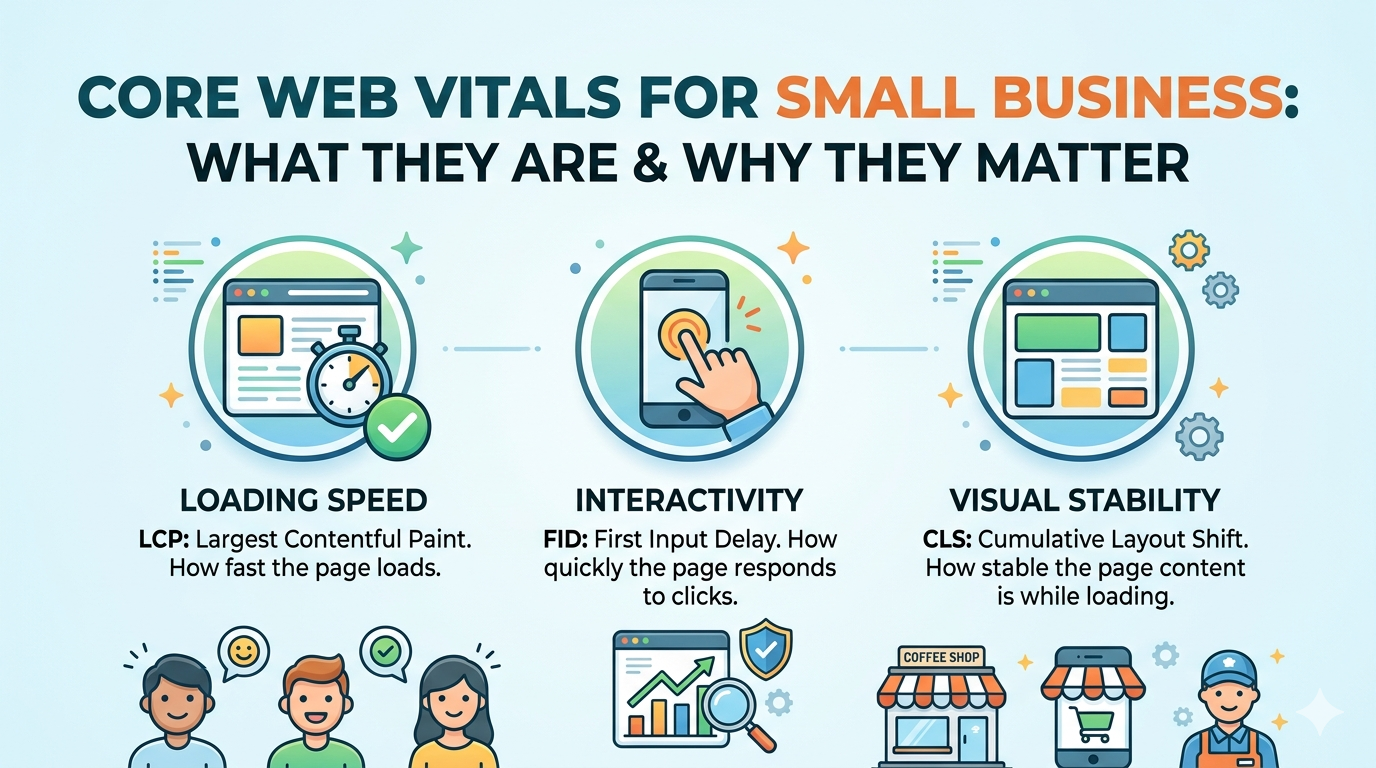
Core Web Vitals are three specific metrics that Google uses to evaluate the real world user experience of a webpage. They measure loading speed, visual stability, and interactivity three things that directly affect whether a visitor stays on your page or bounces.
Google introduced these metrics as part of its broader Page Experience signals. The idea is simple: a fast, stable, responsive page is a better experience than a slow, jumpy, unresponsive one. Google wants to rank pages that genuinely serve users well.
Here are the three Core Web Vitals you need to know.
LCP-Largest Contentful Paint
Largest Contentful Paint (LCP) measures how long it takes for the largest visible element on the page to load. This is usually your hero image, a featured photo, or a large block of text at the top of the page.
LCP is the metric most closely tied to perceived loading speed. When a visitor lands on your page, their brain registers the site as “loaded” once the main content appears not when every last script finishes running in the background.
According to Google’s web performance documentation, a good LCP score is under 2.5 seconds. Between 2.5 and 4 seconds needs improvement. Over 4 seconds is considered poor.
CLS – Cumulative Layout Shift
Cumulative Layout Shift (CLS) measures how much the page layout unexpectedly shifts while loading. If you have ever been reading a page and had text suddenly jump down because an image loaded above it that is layout shift, and it creates a frustrating experience.
CLS is scored on a scale of 0 to 1, where 0 means no unexpected shifts at all. A good CLS score is 0.1 or below. Between 0.1 and 0.25 needs improvement. Above 0.25 is poor.
INP – Interaction to Next Paint
Interaction to Next Paint (INP) replaced the older First Input Delay (FID) metric in March 2024. INP measures how quickly your page responds to all user interactions throughout the entire visit clicks, taps, keyboard input, and form submissions.
A good INP score is under 200 milliseconds. Between 200 and 500 milliseconds needs improvement. Over 500 milliseconds is poor.
Core Web Vitals Thresholds at a Glance
| Metric | Good | Needs Improvement | Poor |
|---|---|---|---|
| LCP (Largest Contentful Paint) | Under 2.5s | 2.5s – 4.0s | Over 4.0s |
| CLS (Cumulative Layout Shift) | Under 0.1 | 0.1 – 0.25 | Over 0.25 |
| INP (Interaction to Next Paint) | Under 200ms | 200ms – 500ms | Over 500ms |
Meeting the “Good” threshold on all three signals to Google that your page delivers a positive user experience.
Why Core Web Vitals Matter for Your Google Rankings
Google uses Core Web Vitals as part of its Page Experience ranking signal. In practice, this means two pages competing for the same keyword with otherwise equal relevance and content quality can be separated in the rankings by their Core Web Vitals scores.
For small businesses competing in local and niche markets, this matters. You are often not fighting for national keywords against massive domain authority. You are competing against other local businesses, and the technical performance of your site can genuinely tip the balance.
Beyond rankings, Core Web Vitals scores affect your visitors directly. A slow LCP means people bounce before your content even loads. A high CLS means they click the wrong thing by accident. A poor INP means forms and buttons feel broken. All of these behaviors signal poor quality to Google and reduce your chances of converting visitors into customers.
According to Search Engine Journal, page experience signals including Core Web Vitals influence rankings across mobile and desktop results. Sites that pass all three Core Web Vitals thresholds tend to see lower bounce rates and higher engagement both of which indirectly support better rankings.
If you have noticed that your site is not showing up as high as it should for searches you know you are relevant for, your Core Web Vitals scores are worth investigating. Our guide on signs your website is costing you customers covers the broader warning signs of an underperforming site.
How to Check Your Core Web Vitals Scores
You do not need to hire a developer just to see your scores. Google provides free tools that give you real data on how your pages are performing.
Google PageSpeed Insights
Go to pagespeed.web.dev and enter your URL. You will see both a Lab score (simulated) and Field Data (real user data from the Chrome User Experience Report). Field Data is what Google actually uses for rankings the Lab score is a diagnostic starting point.
Pay attention to the Field Data section. If it shows red or orange scores, those are the ones affecting your rankings.
Google Search Console
If you have Google Search Console set up (and you should), navigate to Experience > Core Web Vitals. This report shows which pages on your entire site are failing the thresholds, broken down by mobile and desktop.
This is the most actionable view for small business owners because it shows you exactly which pages need the most attention rather than checking URLs one at a time.
Chrome DevTools and Lighthouse
For developers or technically inclined owners, Chrome’s built-in Lighthouse tool runs an audit directly from the browser. Open DevTools (F12), click the Lighthouse tab, and run a report. This gives you specific, line by line diagnostics for each metric.
What Causes Poor Core Web Vitals Scores
Understanding the root causes helps you prioritize fixes. Here are the most common culprits for each metric.
Common LCP Problems
- Unoptimized images: Large image files that haven’t been compressed or converted to modern formats like WebP
- No lazy loading: Images below the fold loading before the main content
- Slow hosting: Cheap shared hosting with slow server response times
- Render blocking resources: JavaScript or CSS files that load before page content
- No content delivery network (CDN): Assets being served from a single server location instead of globally distributed nodes
Common CLS Problems
- Images without defined dimensions: When the browser doesn’t know an image’s size in advance, it shifts content to make room when the image loads
- Web fonts loading late: Text shifting when a custom font replaces the fallback font
- Dynamically injected content: Ads, popups, or banners that appear above existing content without reserved space
Common INP Problems
- Excessive JavaScript: Heavy scripts that block the browser’s main thread
- Third party scripts: Analytics tools, chat widgets, and ad scripts that consume processing power
- Outdated plugins: On WordPress sites especially, old or poorly built plugins can dramatically slow interactivity
- Unoptimized event handlers: Code that runs slowly in response to clicks or inputs
Our detailed guide on WordPress speed optimization for small business covers many of these fixes in the WordPress context specifically.
How to Fix Core Web Vitals Issues
Not every fix requires a developer. Here is a practical breakdown by difficulty level.
Fixes You Can Do Yourself
Compress and optimize images. Use a tool like Squoosh or ShortPixel to reduce image file sizes before uploading. Convert images to WebP format. On WordPress, plugins like Smush or EWWW Image Optimizer automate this.
Set image dimensions in HTML. Make sure every image tag includes explicit width and height attributes. This tells the browser how much space to reserve and prevents layout shift.
Enable caching. Browser caching stores static files locally on visitors’ devices so pages load faster on repeat visits. Most WordPress caching plugins (WP Rocket, W3 Total Cache) handle this with minimal setup.
Remove unnecessary plugins. On WordPress, every active plugin adds code that runs on page load. Audit your plugins and deactivate any you are not actively using.
Fixes That Typically Require a Developer
Implement lazy loading properly. While browsers support native lazy loading via the loading="lazy" attribute, proper implementation especially for above the fold images that should not be lazy loaded requires careful judgment.
Optimize JavaScript loading. Deferring or asynchronously loading non-critical scripts reduces the time before the page becomes interactive. This requires touching your site’s code or theme files.
Set up a CDN. A content delivery network (CDN) like Cloudflare distributes your static assets across global servers so visitors load content from the location nearest to them. Setup is technical but has a significant LCP impact.
Upgrade to better hosting. Moving from shared hosting to a managed WordPress host (like WP Engine or Kinsta) or a VPS dramatically reduces server response time (Time to First Byte), which directly improves LCP.
Fix render blocking resources. Identifying and resolving CSS and JavaScript files that block page rendering requires code level changes.
According to Moz’s technical SEO resources, page speed improvements are among the highest ROI technical SEO investments a site can make particularly for mobile users.
DIY vs. Hiring an Agency: When to Get Help
Small business owners are resourceful. But Core Web Vitals optimization has a point where DIY starts costing more than it saves in time, ranking losses, and technical debt.
Consider DIY if: Your scores are in the “Needs Improvement” range rather than “Poor,” your site is on a modern WordPress theme with reasonable performance, and your issues are primarily image related. These have well documented, plugin assisted solutions.
Consider hiring an agency if: Your scores are in the “Poor” range, especially on mobile. If you are losing ground to competitors in local search. If your site is custom built or running an outdated theme that requires code level changes. Or if you have tried optimizing and seen no improvement.
At DevVerx, we audit and optimize Core Web Vitals as part of our web development services. We have helped clients move from failing scores to fully passing thresholds which translates directly to improved rankings and lower bounce rates.
Our 4.8/5 client rating reflects the kind of results focused technical work that turns a slow, penalized site into a fast, competitive one.
When evaluating whether to DIY or hire help, consider what your time is actually worth. If a developer can fix your Core Web Vitals in a day and the improvement leads to three more leads per month, that investment pays back quickly.
Core Web Vitals and Your Small Business: The Bottom Line
Core web vitals are not a technical formality. They are Google’s way of measuring whether your website is actually good to use and they now carry weight in your search rankings.
For small businesses, the practical takeaway is this:
- Check your scores in Google PageSpeed Insights and Search Console
- Prioritize LCP fixes first they have the most direct impact on perceived speed
- Address CLS to prevent the frustrating layout shifts that hurt conversions
- Get INP under control by auditing third party scripts and plugin bloat
- Set a realistic budget for technical fixes, especially if your scores are in the “Poor” range
A site that passes all three Core Web Vitals thresholds is not just more likely to rank well. It is genuinely better for the people visiting it and that is what keeps them coming back.
If you want a professional audit of your site’s Core Web Vitals and a clear action plan for improvement, contact the DevVerx team. We will show you exactly what is holding your site back and what it takes to fix it.