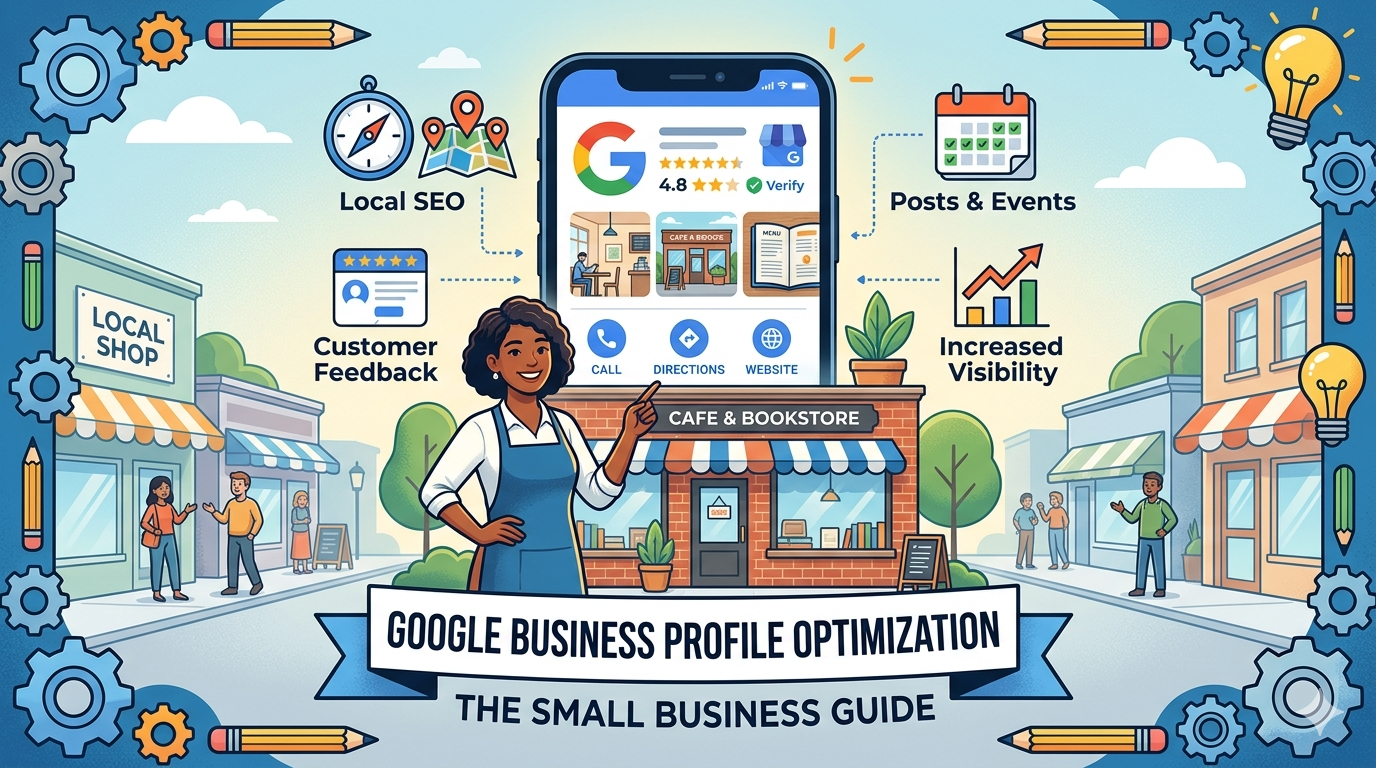
If a potential customer searches for your type of business in your city right now, what do they find? For most local searches, the most prominent results are not the blue organic links they are the map and the three business listings in the Google Local Pack. That space is controlled by your Google Business Profile.
A fully optimized Google Business Profile is the fastest, most impactful thing a local small business can do to improve its visibility in search. It is free. It works. And most businesses have not done it properly.
This guide walks through every element of Google Business Profile optimization from the basics of claiming and verifying your listing to advanced tactics like Google Posts, Q&A management, and category selection so your business ranks as prominently as possible in local search results.
For the full local search context, see our guide on local SEO for small business and our complete digital marketing guide.
What Is Google Business Profile and Why It Matters
Google Business Profile (formerly Google My Business) is a free tool that lets businesses manage how they appear across Google Search and Google Maps. When someone searches for a business by name, or searches for a local service category, the information that appears your name, address, phone number, hours, photos, reviews, and more comes from your Google Business Profile.
For local businesses, this profile is often more important than your website. Studies consistently show that a significant percentage of local customers contact a business directly from their Google Business Profile through a phone call click, a direction request, or a message without ever visiting the company’s website.
Google uses three primary factors to determine which businesses appear in the local pack:
- Relevance: How well your profile and business match what the searcher is looking for
- Distance: How close your business is to the searcher’s location
- Prominence: How well known and credible your business is based on online signals
You cannot change your geographic location, but you can significantly improve relevance and prominence through proper optimization.
Step 1: Claim and Verify Your Profile
If you have not claimed your Google Business Profile, start here. Go to business.google.com and either find your existing listing or create a new one.
Verification confirms to Google that you are the legitimate owner of the business. Verification methods depend on your business type:
- Postcard: Google mails a postcard with a verification code to your business address (5-14 days)
- Phone: Google calls or texts a verification code
- Email: Some business types can verify via email
- Video: Google may require a video verification for some businesses showing your business location, signage, and the person verifying
Do not skip verification. An unverified profile has limited functionality and ranks poorly. Many businesses have unclaimed listings with incorrect information that is actively harming their local rankings and they do not even know it.
Step 2: Complete Every Profile Field
Google’s algorithm rewards profile completeness. Businesses with fully complete profiles rank higher than businesses with partially filled profiles. Go through every field systematically.
Business Name
Use your exact legal business name as it appears on your storefront, website, and other materials. Do not add keywords to your business name (Google considers this spam and may suspend your listing). If your business is called “Smith Plumbing,” that is what goes in the name field not “Smith Plumbing Best Plumber in Dallas.”
Business Category
This is one of the most important decisions you will make in your profile. Your primary category tells Google what type of business you are, and it directly affects which searches you appear for.
Choose the most specific primary category available for your core business. If you are a “Family Law Attorney,” select that rather than just “Attorney” or “Legal Services.” If you are a “Pizza Restaurant,” select that rather than just “Restaurant.”
You can add additional secondary categories for other services you offer. But the primary category has the strongest influence on your rankings.
Business Address and Service Area
If customers come to your location, enter your complete street address. Google will verify this address for local ranking signals.
If you are a service area business (you go to customers rather than they come to you), you can hide your address and instead set a service area defined by cities, zip codes, or a radius from your location. Service area businesses should define their area specifically not too broad, not too narrow.
Phone Number
Use a local phone number rather than a toll free number when possible. Local numbers reinforce geographic relevance. Ensure this number matches exactly the number listed on your website and other directories (NAP consistency is a ranking signal).
Website URL
Link to your main website homepage, or to a specific landing page if you have one optimized for local customers.
Hours of Operation
Enter accurate hours for every day. Keep these updated for holidays, special closures, or seasonal changes. Inaccurate hours are one of the most common causes of negative customer experiences and negative reviews.
Business Description
You have 750 characters to describe your business. Use them well. Include your primary keyword naturally, describe what you do and who you serve, and mention what makes you different. This is not keyword stuffing territory write it for a customer who is deciding whether to call you.
Opening Date
The date your business opened. Older businesses with longer operating histories tend to rank better as a prominence signal.
Step 3: Add Photos and Keep Them Current
Photos are one of the most impactful profile elements for both ranking and customer conversion.
According to Google’s Business Profile help documentation, businesses with photos receive 42% more requests for directions and 35% more clicks to their website than businesses without photos. That is a significant difference from a free activity that takes less than an hour to set up.
What Photos to Upload
- Cover photo: The primary image shown in your profile. Make it professional and representative of your business your storefront, your team, or your best work.
- Logo: Your business logo. Used in branded search results.
- Interior photos: Show your workspace, office, store interior, or facility.
- Exterior photos: Help customers recognize your location when they arrive.
- Team photos: People trust businesses they can see. A professional team photo builds credibility.
- Product or service photos: Show your work. Before and afters, finished projects, products in context.
- At work photos: Candid photos of your team delivering services signal authenticity.
Add new photos regularly. Profile freshness is a signal that your business is active and your information is current. Aim to add at least one new photo per month.
Google Street View
Google’s Street View team may photograph your exterior automatically. If the existing Street View image of your business is outdated, misleading, or unavailable, you can request an update through Google Maps.
Step 4: Generate and Manage Reviews
Reviews are both a ranking signal and a conversion factor. More reviews, higher average ratings, and recent review activity all contribute to local pack rankings. And potential customers read them before deciding to call.
According to BrightLocal, the average business needs at least 40 reviews for consumers to consider its rating accurate. Businesses with fewer than 10 reviews are at a significant competitive disadvantage in most markets.
How to Get More Reviews
Ask directly after delivering service. The best moment is when a customer expresses satisfaction. “Could you do me a favor and leave us a Google review? It really helps our business.” Most happy customers will say yes.
Send a follow up message or email. After completing a service, send a brief thankyou with a direct link to your Google review page. Make it one click reduce all friction.
Create a short link. Google Business Profile provides a short link specifically for review requests. Use it in emails, text messages, receipts, and on physical signage at your location.
Train your team. If you have employees who interact with customers, brief them on how and when to ask for reviews. Make it part of the closing process.
Responding to Reviews
Respond to every review positive and negative.
Responding to positive reviews: Thank the reviewer specifically, reference something from their experience if you know it, and reinforce one or two things your business does well. Keep it genuine not a template copy pasted to every review.
Responding to negative reviews: This is where many businesses make mistakes. Do not be defensive. Do not argue with the customer publicly. Acknowledge their experience, express regret that it did not meet their expectations, and invite them to contact you directly to resolve it. A well handled negative review can actually impress potential customers more than the absence of negative reviews.
Do not solicit fake reviews or ask friends to leave reviews for a business location they have never visited. Google is increasingly good at detecting inauthentic reviews, and penalties including listing suspension are severe.
Step 5: Use Google Posts Regularly
Google Posts are short updates that appear directly in your Business Profile in search results. They are similar to social media posts you can share offers, events, new products, announcements, and helpful content.
Google Posts stay visible for seven days (offer posts can stay longer), after which they archive but remain in your profile history. The activity signal from regular posting tells Google that your profile is actively managed which is a positive ranking signal.
Post at least twice per month. Content ideas for Google Posts:
- Current promotions or seasonal offers
- New services or products launched
- Business updates or announcements
- Local events you are participating in or hosting
- Helpful tips related to your industry
- Customer testimonials or case studies
Include a call to action in every post: “Book now,” “Learn more,” “Call today,” or “Get offer.” Posts with calls to action drive more clicks.
Step 6: Optimize the Q&A Section
Your Google Business Profile has a Q&A section where anyone (not just verified customers) can ask questions and post answers. This is often overlooked by businesses and can be a source of inaccurate information if left unmanaged.
Proactively add the most common questions your customers ask, along with accurate answers. This:
- Gives potential customers quick answers that might drive them to call
- Prevents competitors or random users from answering your questions inaccurately
- Can include keywords that improve relevance for specific search terms
Monitor the Q&A section regularly. If a question is asked that you have not answered, respond promptly. If an inaccurate answer has been posted by someone else, you can flag it for removal or provide the correct answer.
Step 7: Enable and Manage Messaging
Google Business Profile allows customers to message your business directly through Google Search. Enabling this feature makes it easier for potential customers to contact you, and response rate and speed affect your profile’s standing.
When you enable messaging, commit to responding within a few hours. Google displays your typical response time to searchers slow response times are visible and discouraging.
You can set up automated responses for common questions to improve response time. But follow up all automated responses with a personal reply when the conversation requires it.
Step 8: Track Performance With Business Profile Insights
Your Google Business Profile provides builtin analytics called Insights. Check these monthly to understand:
- Search queries: What terms people used to find your profile
- Views: How many times your profile appeared in search and maps
- Actions: How many people clicked for directions, called your business, or visited your website from your profile
- Photo views: How your photos compare to competitors in your category
Declining metrics in any category are worth investigating. They may indicate a competitor has improved their optimization, your profile information is becoming stale, or a category or description change is needed.
Common Google Business Profile Mistakes to Avoid
Keyword stuffing in your business name. Adding service keywords to your business name (e.g., “ABC Plumbing 24/7 Plumber Dallas TX Emergency Plumbing”) violates Google’s guidelines and can result in listing suspension.
Ignoring or disabling reviews. Every review is an opportunity. Managing them well especially negative ones builds credibility that passive businesses cannot match.
Inconsistent NAP across the web. Your name, address, and phone number must match exactly on your Google Business Profile and your website. Discrepancies undermine the trust signals Google uses for local ranking.
Neglecting the profile after initial setup. Google rewards active profiles. Regular posting, photo updates, and review responses signal an active, credible business.
Selecting a too broad primary category. Being too generic (“Retail Store” instead of “Hardware Store”) reduces the specificity of your relevance signals and makes it harder to rank for specific searches.
How DevVerx Helps With Local SEO and Google Business Profile
Setting up a Google Business Profile is straightforward. Optimizing it to consistently outrank competitors in your local market and maintaining that performance over time requires strategic and ongoing attention.
At DevVerx, local SEO and Google Business Profile optimization are part of our digital marketing services for small businesses. We handle the initial optimization, build a review generation process, manage your posting calendar, and track your local ranking performance monthly.
Our 4.8/5 client rating reflects the kind of results focused work that turns a mediocre local search presence into a dominant one. Paul Fish at 1World Resources described working with DevVerx as “FANTASTIC” and consistent execution on the fundamentals like local SEO is exactly how we earn that kind of response.
Ready to improve your local search visibility? Contact DevVerx for a free Google Business Profile audit. We will show you exactly where your profile stands compared to your competitors and what it takes to close the gap.
Google Business Profile Optimization: What to Do First
If you take nothing else from this guide, do these five things this week:
- Claim and verify your Google Business Profile if you have not already
- Complete every field especially business name, primary category, phone number, and hours
- Upload at least ten high quality photos
- Send five recent customers a direct link to leave a Google review
- Create your first Google Post with a call to action
These five steps alone will put your profile ahead of the majority of local businesses in your category. Do them, then come back to this guide for the advanced optimization layers.
Ready to take your local search visibility to the next level? Contact DevVerx for a free Google Business Profile audit and a clear plan to outrank competitors in your area.