If you’re a small business owner trying to figure out what you actually need from a website and what finding the right WordPress developer for small business involves, what it costs, and how to avoid getting oversold this guide is for you.
Not for developers. Not for marketers. For business owners who need to make a practical decision about their digital presence without wading through jargon or sitting through a sales pitch.
Here’s what you’ll find: why WordPress is still the right platform for most small businesses in 2026, what professional WordPress development actually involves (versus setting up a free account somewhere), how to plan your project before you talk to anyone, what it should realistically cost, and how to find someone you can trust to build it.
Why WordPress Is the Platform of Choice for Most US Small Businesses
WordPress powers 43% of all websites on the internet. That number has been growing for fifteen years and shows no sign of reversing. It isn’t a coincidence WordPress occupies a specific position that no other platform has been able to displace: flexible enough for almost any business requirement, accessible enough for non technical teams to manage content, and open source enough to avoid vendor lockin.
For small businesses specifically, WordPress hits a set of requirements that alternatives struggle to match simultaneously:
You own it completely. Your site lives on hosting you control. Your content is in a database you own. You’re not locked into a monthly SaaS platform that can change pricing, discontinue features, or shut down and take your site with it.
Your marketing team can manage content without a developer. The WordPress block editor lets non technical staff add blog posts, update page content, swap images, and manage routine site changes independently. A properly built WordPress site doesn’t require a developer for every content update.
It grows with your business. WordPress scales from a simple 5 page brochure site to a WooCommerce store processing thousands of orders per month to a membership platform with gated content. You’re not switching platforms when your needs evolve you’re extending the one you have.
SEO is a first class feature. WordPress gives you full control over every SEO element: URL structure, meta titles and descriptions, heading hierarchy, schema markup, sitemap configuration, and page speed architecture. Platforms like Squarespace and Wix impose constraints in each of these areas. WordPress does not.
The developer ecosystem is enormous. If you need to switch agencies, hire an in house developer, or bring in a specialist for a specific feature, WordPress developers are everywhere. You’re never dependent on one vendor’s proprietary system.
What “WordPress Development” Actually Means for a Small Business
There’s a wide range of things that get called “WordPress development,” and they produce very different results.
Option 1: DIY with a free account or page builder
Wix, Squarespace, WordPress.com (not the same as WordPress.org), or Elementor on a shared hosting plan. You build it yourself using drag and drop tools. Cost: $10–$50/month. Result: a functional site you manage entirely, with real limitations on customization, performance, and SEO control.
This is appropriate for pre revenue projects, personal sites, and businesses where a basic online presence is the entire goal. It’s not appropriate for businesses where the website is a revenue driver.
Option 2: Template based professional build
A developer or agency purchases a premium theme and customizes it to match your brand. They populate your content, configure your plugins, and hand it over. Cost: $1,500–$5,000. Result: professional looking, functional, but built on code shared with thousands of other sites with the performance and design constraints that come with it.
Appropriate for businesses with constrained budgets that need a professional presence quickly. Expect to revisit the decision in 2–3 years as the template’s limits become apparent.
Option 3: Custom WordPress development
A theme is built from code specifically for your site. No page builder, no pre built template. The design is bespoke, the code is lean, and the performance is measurably better. Cost: $5,000–$15,000+. Result: a site that loads faster, ranks better, and holds up longer with code you own and can extend cleanly.
This is what professional WordPress development means for most established small businesses. It’s where the performance gap versus alternatives becomes real and measurable.
For a full breakdown of what drives the difference between each tier, see our WordPress development cost guide.
The Small Business WordPress Decision Framework
Before you talk to any developer or agency, answer these three questions. They’ll save you from being sold something you don’t need or undersold something you do.
Do you need a simple informational site or something more complex?
A simple informational site services page, about page, contact page, maybe a blog is what most small businesses actually need. It’s also the most affordable type of WordPress build and the fastest to complete.
Complex requirements e commerce, custom booking systems, membership content, complex filtering, integration with a CRM or inventory system push the project into a different scope and budget bracket. Know which you’re in before you start getting quotes.
What features will your site need in the next 2–3 years?
The decisions made during the initial build determine how expensive future changes are. A site built for a 5 page brochure that needs to add e-commerce in 18 months might need significant rework. A site planned with that growth in mind can extend cleanly.
You don’t need to know exactly what you’ll need but having a conversation about your business trajectory with your developer or agency before the build starts is worth the time.
What’s your real budget upfront and ongoing?
The build cost is the visible number. The ongoing costs are what catch people off guard: hosting ($25–$100/month), maintenance ($150–$400/month), occasional development for updates and new features. A site that costs $8,000 to build might cost $3,000–$5,000/year to operate properly.
Build those ongoing costs into your planning. A “cheaper” site that requires $500 in emergency repairs twice a year isn’t cheaper.
The 6 Key Components of a Professional Small Business WordPress Site
When you’re reviewing proposals or evaluating an agency’s past work, look for evidence of these six components:
1. Custom design aligned to your brand
Not a recognizable theme with your logo dropped in. A design that reflects your specific business color palette, typography, photography style, and a visual hierarchy that guides visitors to the action you want them to take. Good design isn’t decoration; it’s conversion infrastructure.
2. Performance optimized from the start
Core Web Vitals scores passing on mobile LCP under 2.5 seconds, CLS under 0.1, INP under 200ms. A Google PageSpeed mobile score of 80+. These aren’t vanity metrics; Google’s Core Web Vitals documentation explains how they affect search rankings and conversion rates directly. Ask for PageSpeed scores on portfolio sites before you hire anyone.
3. Managed WordPress hosting on appropriate infrastructure
Not shared hosting. Shared hosting cannot deliver the PHP memory limits, server response times, or resource availability a business WordPress site needs reliably. Managed WordPress hosting (WP Engine, Kinsta, Cloudways, or similar) typically runs $25–$80/month and is worth every dollar.
4. SSL, security setup, and proper user roles
HTTPS is non negotiable Google flags non HTTPS sites as “Not Secure” in Chrome. Security configuration should include hardened file permissions, limited login attempts, appropriate user roles (editors shouldn’t have admin access), and a backup system that’s actually been tested.
5. Mobile first build
Over 60% of web traffic comes from mobile devices. “Mobile responsive” is the minimum. A mobile first build means the mobile experience was designed and optimized first, not adapted from a desktop layout after the fact. Test any portfolio site on your phone before you hire the agency that built it.
6. SEO fundamentals configured at launch
Clean URL structure, Yoast or RankMath installed and configured, meta titles and descriptions set for key pages, XML sitemap submitted to Google Search Console, schema markup for the business type, and Google Analytics 4 connected. These are baseline items. If they’re not included in the build scope, ask why.
How to Plan Your WordPress Project Before Hiring Anyone
The cleaner your brief, the more accurate your quotes and the fewer surprises mid project.
Content inventory: List every page your site needs. For each page, note: what is the primary purpose, what content already exists, and what needs to be created. “About” page content probably exists; blog posts may need to be written; product descriptions for 200 SKUs need a separate conversation.
Feature list: Beyond pages, what does the site need to do? Contact forms (straightforward). Booking calendar (integration required). Online store (full WooCommerce scope). Client portal (complex). Lead calculator (custom plugin). Be specific.
Design direction: Gather 3–5 sites you like and note specifically what you like about each. “I like the homepage layout here, the color palette from this site, and the typography from this one” is useful. “Make it look modern” is not.
Sitemap sketch: Even a rough list of pages grouped by navigation structure saves a planning session with your agency and clarifies scope for the quote.
Launch timing: Is there a hard deadline? A trade show, a product launch, a rebranding announcement? Hard deadlines affect both timeline planning and what’s feasible within the scope. Name them upfront.
What Small Business WordPress Development Costs in 2026
Quick reference for planning:
| Project Type | Typical Range | Timeline |
|---|---|---|
| Template based site | $1,500–$5,000 | 2–4 weeks |
| Custom WordPress site (5–10 pages) | $5,000–$10,000 | 4–6 weeks |
| Custom WordPress + blog/portfolio | $8,000–$15,000 | 5–8 weeks |
| Custom WordPress + WooCommerce | $10,000–$25,000 | 6–12 weeks |
| Ongoing hosting + maintenance | $200–$500/month | – |
The most common mistake in small business WordPress budgeting is planning for only the build cost. Include hosting, maintenance, and a small contingency for post launch fixes in your total budget.
For the full breakdown of what drives pricing at each tier, see our detailed WordPress development cost guide.
Common Mistakes Small Businesses Make With WordPress
These patterns appear consistently across sites that underperform:
Buying cheap hosting: Shared hosting at $5–$10/month can’t deliver reliable performance for a business site. WordPress needs proper PHP memory limits, server response time, and resource availability. Skimping on hosting is the fastest way to negate every other investment in the site.
Plugin overload: Every plugin adds weight, potential conflicts, and update risk. Sites that accumulate plugins over time adding a plugin for every small feature become slow, fragile, and hard to maintain. A well built site uses plugins deliberately, not reflexively.
Skipping SEO setup at launch: Meta titles, descriptions, sitemap, Google Search Console connection, and schema markup should be configured before the site goes live. Retrofitting SEO after the fact takes longer and delays the time to ranking.
No maintenance plan: An unmaintained WordPress site accumulates unpatched vulnerabilities, performance degradation, and eventually a security incident that costs far more than a maintenance retainer would have. See what WordPress maintenance actually involves for a complete picture.
Publishing without testing on mobile: A site that looks and works perfectly on desktop can have broken navigation, illegible text, or a non functional checkout on mobile. Test every page on a real phone not just a browser resize before launch.
Ignoring the signs of underperformance: If your site is generating fewer leads than it should, the problem may not be your service or your price it may be your site. See the signs your website is costing you customers for a practical audit framework.
How to Find the Right WordPress Agency for Your Small Business
You’re not hiring the agency with the most impressive clients. You’re hiring a team that understands small business constraints and builds for your context not for portfolio pieces.
What to look for:
Portfolio sites that match your scale: An agency that primarily builds for enterprise clients may not structure their process or pricing for a $10,000 small business site. Look for portfolio work in your ballpark.
Communication before you’ve committed: How responsive are they during the sales process? How clearly do they explain their process? If communication is slow or unclear before they have your money, it doesn’t improve after.
A real post launch plan: Ask specifically what happens after launch. A maintenance retainer with defined terms is the right answer. “We’re available for questions” is not.
Transparent pricing: An agency that won’t give you a budget range until after a 45 minute discovery call is managing your expectations, not informing them. Good agencies can give you ballpark ranges based on scope before the first conversation.
References you can actually contact: Not logos on a website real clients you can email or call. Ask them: did the project come in on time and on budget? How was communication? Would you hire them again?
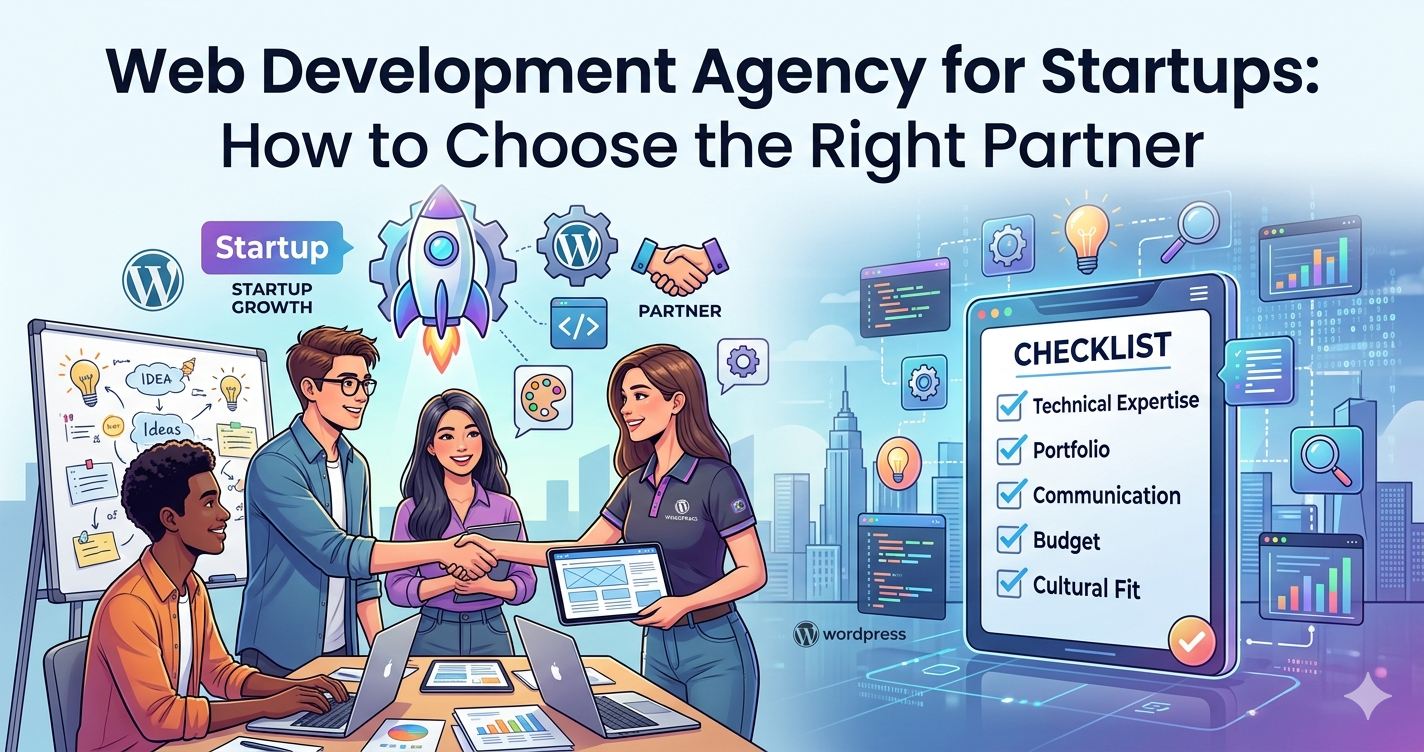
For a full guide on evaluating WordPress agencies specifically, see our WordPress development agency guide.
For an honest comparison of hiring a freelancer vs. an agency, see our WordPress developer vs. agency guide.
After Launch: Keeping Your WordPress Site Working for Your Business
A WordPress site isn’t a finished product it’s a system you operate. After launch:
Maintenance: Core, theme, and plugin updates run on a regular schedule. Security monitoring catches threats before they become incidents. Backups protect against catastrophic loss. This is either handled by a maintenance retainer or by your team but it needs to be handled. See our WordPress maintenance guide for what a real maintenance plan includes.
Performance monitoring: PageSpeed scores drift as plugins accumulate and content grows. Run a monthly check and investigate any significant drop. Uptime monitoring alerts you when the site goes down before a customer has to tell you.
Content updates: A WordPress site that doesn’t publish fresh content and update existing pages loses ground to competitors who do. The block editor makes this manageable for non technical teams. If content updates feel hard, the CMS wasn’t set up correctly.
Analytics review: Google Analytics 4 tells you where traffic comes from, which pages convert, where visitors exit, and how mobile vs. desktop performance compares. Review it monthly. The data tells you what to prioritize next.
How DevVerx Approaches WordPress Development for Small Business
We’ve built WordPress sites for US small businesses since the early 2010s, earning a 4.8/5 verified client rating across projects from simple brochure sites to full WooCommerce stores. We know the budget constraints are real, the timelines are real, and the frustration with agencies that overpromise and underdeliver is real.
Our approach is direct: scope your project carefully before quoting, build custom themes from code (no Elementor installs for business critical sites), test everything on staging before it goes live, and stay involved after launch through defined maintenance.
Affordable doesn’t mean cheap. It means enterprise quality work structured for budgets that make sense for growing businesses not Fortune 500 retainers.
If you’re ready to talk about your WordPress project, book a free strategy call with our team. No obligations, no sales script just a direct conversation about what you need and what it should cost.
Explore our WordPress development services to see the full picture.
Frequently Asked Questions
Is WordPress good for small business websites?
Yes it’s the most widely used CMS in the world for good reason. WordPress offers full design flexibility, strong SEO control, a massive plugin ecosystem, and a content management interface that non technical staff can learn quickly. For most small businesses, it’s the best balance of flexibility, affordability, and long term ownership.
How much does a WordPress website cost for a small business?
Template based builds run $1,500–$5,000. Custom WordPress sites (the recommended option for business critical sites) run $5,000–$15,000 depending on complexity. Add $200–$500/month for hosting and maintenance. For a full breakdown by project type, see our WordPress development cost guide.
How long does it take to build a WordPress site?
Template based: 2–4 weeks. Custom WordPress: 4–8 weeks. The timeline depends on scope, the number of unique page templates, custom functionality requirements, and how quickly you can deliver content and approvals.
Do I need a developer to maintain a WordPress site?
For routine content updates adding blog posts, updating text, swapping images no. The WordPress editor is designed for non technical users. For updates to core, themes, and plugins (which should be tested on staging before going live), security monitoring, and any code level changes, yes or a maintenance service that handles it.
What’s the difference between WordPress.com and WordPress.org?
WordPress.com is a hosted platform with limited customization and no plugin access for most plans. WordPress.org is the open source software that professional developers install on any hosting server, giving you full control over plugins, themes, and code. Professional WordPress development always uses WordPress.org.
How do I know if my WordPress site needs to be rebuilt?
Signs it’s time to rebuild: your site fails Core Web Vitals, it’s built on a page builder theme and performance improvements have stalled, it can’t support the functionality your business needs, or your designer says it’s not possible to implement what you want within the existing structure. For a practical audit, see our guide on signs your website is costing you customers.
The Bottom Line
WordPress development for small business comes down to three decisions: what to build, who to hire, and how to operate it after launch.
Get those three right and your website becomes a genuine business asset generating leads while you sleep, ranking on Google for searches your ideal customers are already making, and converting visitors at a rate that justifies the investment.
Get any one of them wrong and you’re back to wondering why the site isn’t delivering.
This cluster of guides exists to help you get them right. Start with the WordPress development agency guide for the full picture, then dive into the specific topics relevant to your situation.
And if you want a direct conversation about your project, book a free strategy call with DevVerx we’re straightforward about what you need and what it should cost.