Wordfence’s annual threat report consistently finds that the overwhelming majority of WordPress compromises are not sophisticated attacks they’re exploits of known vulnerabilities in outdated plugins and themes that hadn’t been updated. The fix was available. Nobody applied it.
WordPress powers 43% of the internet. That scale makes it the most targeted CMS on the planet. It also means that when a vulnerability is discovered in a popular plugin, tens of thousands of sites are exposed within hours. Automated bots don’t need to find your site specifically they scan the entire web continuously and hit every vulnerable installation they can reach.
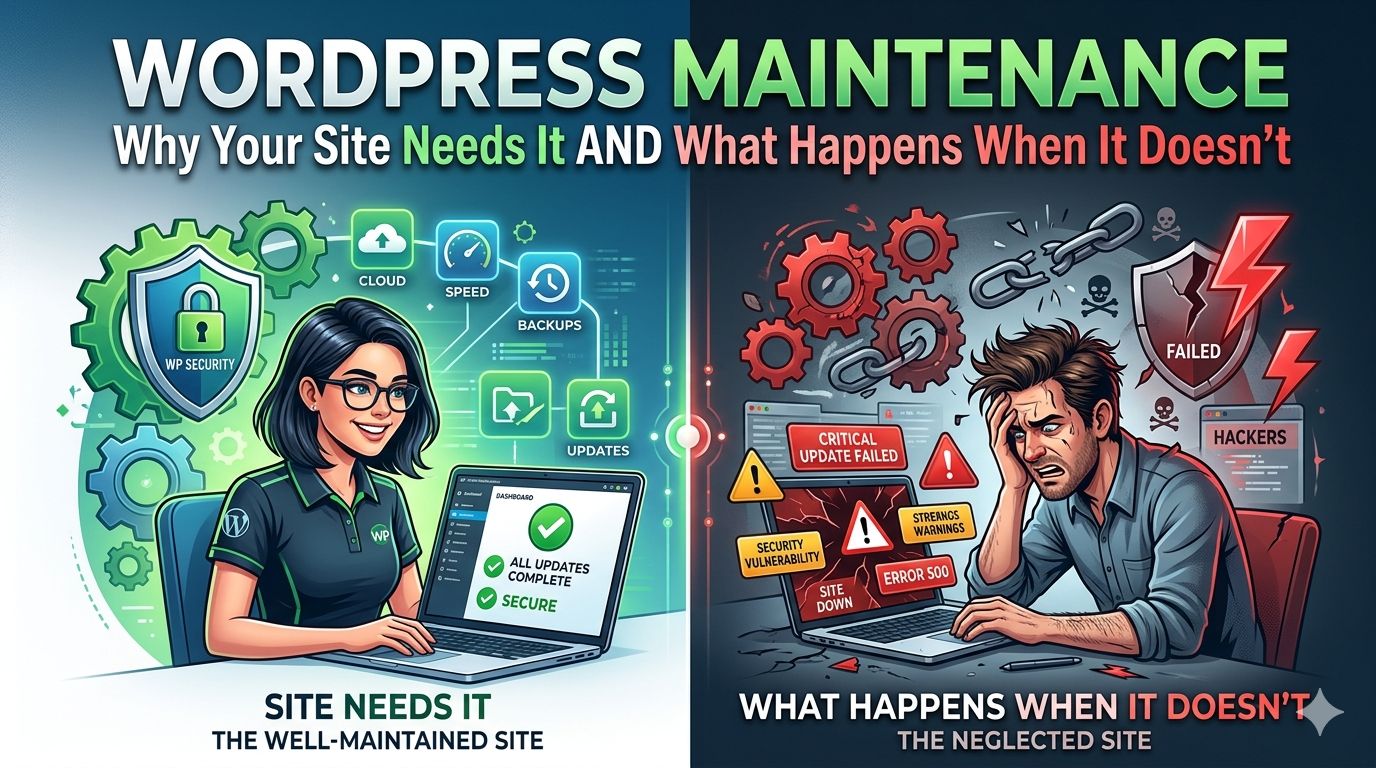
Most business owners think of their WordPress site as a finished product. It isn’t. It’s a system that requires ongoing attention: updates, security monitoring, performance checks, and backups. The sites that get hacked, go down unexpectedly, or degrade slowly over time are almost always the ones where nobody was paying attention.
This guide explains what WordPress maintenance actually involves, what the real cost of neglect looks like, and how to evaluate a maintenance service that’s worth paying for.
What Happens to an Unmaintained WordPress Site
The failure modes are predictable. Most of them are also avoidable.
Security compromise: An outdated plugin with a known vulnerability gets exploited by an automated bot. The attack can result in: your site defaced with spam content, malware injected that infects your visitors’ devices, your site used to send spam email (destroying your domain reputation), or your database exported including customer data. Google then flags your site as dangerous, and you disappear from search results. Emergency cleanup by a developer runs $500–$3,000. Recovering your Google standing takes weeks to months.
Performance degradation: WordPress doesn’t stand still. The PHP version your host runs gets updated. Your plugins release updates that assume newer PHP. The mismatch causes errors, slows page loads, or breaks functionality silently no one notices until a customer mentions the contact form stopped working six weeks ago.
Broken functionality after updates: Plugins update independently. When two plugins that interact (say, a page builder and a WooCommerce extension) release updates in the same week without coordinating, conflicts happen. On an unmaintained site, nobody tests updates before they go live your customers discover the broken checkout first.
Database bloat: WordPress accumulates clutter over time post revisions, transients, spam comment records, orphaned metadata. Over months and years on an active site, this adds up to database queries that run slower, pages that load heavier, and admin interfaces that become sluggish.
SSL and domain expiry: An expired SSL certificate produces a “Not Secure” browser warning that stops most visitors cold. An expired domain takes the entire site offline. Both are calendar failures, not technical ones and both are completely avoidable with monitoring.
SEO degradation: A hacked site that serves spam, a page that breaks after a plugin conflict, or a site that gradually slows down as maintenance is neglected all of these affect search rankings. Google’s crawlers notice the changes before most business owners do.
What WordPress Maintenance Actually Involves
A real WordPress maintenance plan covers six distinct areas. Each one matters, and skipping any of them creates exposure.
Core, theme, and plugin updates
WordPress releases core updates regularly security patches, bug fixes, and major version releases. Every installed theme and plugin also releases updates on its own schedule. The correct process:
- Update on a staging environment first
- Test the site for broken functionality, visual errors, and checkout flow (for e-commerce)
- Push to production only after confirming nothing is broken
- Document what was updated and when
Running updates directly on a live site without a staging environment is how broken checkouts and defaced homepages happen. A professional maintenance service tests before it deploys.
Security monitoring and malware scanning
Active monitoring looks for:
File changes that indicate compromise (new PHP files in upload directories, modified core files)
Suspicious login attempts and brute force patterns
Malware in theme and plugin files
Blacklist status across Google Safe Browsing, Sucuri, and similar databases
Passive security (installing a security plugin and assuming it works) is not the same as active monitoring. The difference is whether anyone reviews the alerts.
Performance monitoring
Core Web Vitals scores don’t stay fixed after launch. A new plugin adds a front-end script. A theme update changes how images are loaded. A database grows large enough that queries slow noticeably. Performance monitoring catches degradation before it becomes a ranking or conversion problem.
Monthly PageSpeed benchmarks and uptime monitoring (alerting when the site goes down, not finding out from a customer) are baseline expectations. For our guide on what drives WordPress performance issues and how to fix them, see WordPress speed optimization for small business.
Database optimization and backups
Regular database cleanup removes accumulated clutter post revisions, expired transients, orphaned metadata. The frequency depends on content activity: a blog publishing weekly needs more frequent optimization than a static five page service site.
Backups are non negotiable, but “having backups” is not enough. The relevant questions are: How frequently are backups taken? Where are they stored (not just on the same server as the site)? How recently has a restore actually been tested? A backup that exists but has never been tested is a backup you can’t rely on when you need it.
SSL certificate and domain renewal management
SSL certificates typically renew annually. Domain registrations renew on their own schedule sometimes annually, sometimes every 2–5 years depending on how they were registered. Both can be automated, but automation can fail (expired credit cards, changed email addresses). A maintenance service monitors expiry dates and flags renewals before they become problems.
Content updates and minor edits
Many maintenance retainers include a small block of hours for routine content changes: updating a phone number, swapping a team member photo, adding a new service to a list, correcting copy after an internal review. These are not development projects they’re the small operational edits every business site needs regularly. Having a maintenance provider handle them is faster and cleaner than opening a new project for every minor change.
Why “Set It and Forget It” Is the Most Expensive WordPress Strategy
The math makes this clear.
Emergency hack cleanup: $500–$3,000 in developer time to identify the attack vector, remove injected malware, restore clean files, close the vulnerability, and resubmit to Google for delisting from the safe browsing blacklist. Plus the revenue lost during the 2–7 days the site was compromised or taken offline. Plus the SEO recovery time (weeks to months to restore rankings if Google flagged the domain).
A WordPress maintenance retainer: $150–$400/month. Over 12 months: $1,800–$4,800.
A single hack incident costs more than a full year of maintenance before accounting for lost revenue, customer trust damage, or the possibility of a data breach notification requirement if customer data was exposed.
The calculation is even clearer for e-commerce sites. An online store that processes $500/day in orders and goes down for three days loses $1,500 in direct revenue, plus any orders abandoned during the downtime period, plus the SEO damage from a three day outage.
Maintenance is insurance. The premium is predictable. The alternative is unpredictable and expensive.
DIY WordPress Maintenance vs. Hiring a Service
Not every maintenance task requires a professional. Here’s an honest breakdown:
| Task | DIY Difficulty | Risk if Skipped | Notes |
|---|---|---|---|
| Plugin/theme updates (no staging) | Low | Medium | Easy to do, risky without testing first |
| Plugin/theme updates (with staging) | Medium | Low | Requires staging environment setup |
| Security plugin monitoring | Low | Medium | Reviews alerts, but not active monitoring |
| Malware scanning | Low | Medium | Tools exist; knowing what to do with results is harder |
| Uptime monitoring | Low | Low | Free tools (UptimeRobot) cover the basics |
| Database optimization | Low | Low | Plugins handle it; verify periodically |
| Performance benchmarking | Low | Low | Monthly PageSpeed check takes 10 minutes |
| Backup verification (test restore) | High | Very high | Few business owners do this; most should outsource it |
| Emergency hack remediation | Very high | – | Professional work; DIY usually makes it worse |
| Core Web Vitals investigation | High | Medium | Requires developer level diagnosis |
DIY maintenance is viable if you’re technically confident, disciplined about testing updates on staging before pushing to production, and checking performance monthly. For most business owners, the time cost and risk of getting it wrong outweigh the retainer cost of a maintenance service.
What a WordPress Maintenance Plan Should Include
Use this as a baseline checklist when evaluating any maintenance service:
Weekly (minimum):
[ ] Security scan and malware check
[ ] Uptime monitoring (automated alerting)
[ ] Backup verification
Monthly:
[ ] WordPress core, theme, and plugin updates (tested on staging first)
[ ] Database optimization
[ ] Performance benchmark (PageSpeed and Core Web Vitals)
[ ] SSL certificate status check
[ ] Monthly report to client (what was updated, current scores, any issues flagged)
Quarterly:
[ ] Full backup restore test
[ ] Security audit (user roles, login logs, file permission review)
[ ] Domain expiry calendar check
On demand:
[ ] Minor content edits (included in hours block)
[ ] Emergency response protocol (what happens, who responds, in how long)
What separates a real plan from a checkbox service:
A staging environment for testing updates before they go live
A defined emergency response time (not “we’ll get to it”)
A tested backup restore process, not just automated backups
A human who reviews security alerts rather than just logs them
A monthly report you can actually read
How to Choose a WordPress Maintenance Agency
Questions to ask before signing:
“Do you test updates on a staging environment before pushing to production?” If the answer is no or evasive, updates are going live untested on your site. This is how broken sites happen.
“How frequently are backups taken, where are they stored, and when did you last test a restore?” Backups stored only on the same server as the site are not real disaster recovery. A restore that’s never been tested is a restore you can’t count on.
“What is your emergency response time and process?” Get specifics: hours, not “soon.” Get a named point of contact, not “our support team.”
“What does the monthly report include?” A maintenance service that can’t tell you what was updated last month isn’t monitoring your site it’s billing you for the assumption that everything is fine.
“Is a content hours block included?” Small routine edits should be part of the retainer, not a separate project every time you need a phone number updated.
Red flags:
No staging environment or no clear answer about testing process
Response times measured in days rather than hours
No monthly reporting
“We monitor everything” with no specifics on what that means
What WordPress Maintenance Costs in 2026
| Plan Level | What’s Included | Typical Range |
|---|---|---|
| Basic | Updates (no staging), backups, uptime monitoring | $75–$150/month |
| Standard | Updates with staging, security monitoring, performance benchmarks, monthly report | $150–$300/month |
| Comprehensive | Full standard + content hours block, priority response, quarterly security audit | $300–$500/month |
| E-commerce add on | WooCommerce specific testing, payment flow monitoring, higher backup frequency | +$100–$200/month |
The difference between basic and standard is primarily the staging environment and the quality of reporting. For any site where broken functionality after an update would cost money, standard is the minimum viable plan.
How DevVerx Handles WordPress Maintenance
We don’t separate maintenance from relationship. With a 4.8/5 verified client rating, every site we build transitions to a post launch support structure, and every maintenance client has a named DevVerx contact not a ticket queue.
What our maintenance plans include:
Staged updates: All core, theme, and plugin updates are tested on a staging copy of your site before touching production. We push to live only after verifying nothing is broken.
Active security monitoring: We review Wordfence alerts, file change notifications, and login logs not just collect them.
Monthly reporting: You get a plain English summary of what was updated, current PageSpeed scores, any security events, and anything flagged for your attention.
Content hours: Routine edits are included. You shouldn’t open a project for every minor content change.
Emergency response: If your site goes down or is compromised, you hear from us within two hours during business hours not when we get around to checking the queue.
If you’re currently running your WordPress site without a maintenance plan or you’re not confident in the one you have book a free strategy call and we’ll tell you honestly what your site needs.
Explore our WordPress development services for the full picture of what a long term DevVerx engagement looks like.
Frequently Asked Questions
How often should WordPress be updated?
WordPress releases security patches as needed sometimes multiple times per month. Plugin updates follow their own schedules, often weekly across a typical plugin set. The standard practice is to run a full update cycle at least once per month, with immediate patching for any critical security releases. Emergency zero day patches should be applied within 24–48 hours of release.
What happens if a WordPress update breaks my site?
On a site with a staging environment, nothing because the update broke the staging copy, not the live site. That’s the point. You roll back staging, wait for the plugin developer to release a fix, and push when it’s confirmed working. On a site without staging, a broken update goes live and your customers see it first. This is the core reason staging is non negotiable for business critical sites.
Do I need a maintenance plan if my site doesn’t change often?
Yes, possibly more than a frequently updated site. A static site that nobody touches for months is a site where plugin vulnerabilities go unpatched, performance goes unchecked, and a problem can exist for weeks before anyone notices. Frequency of content updates and frequency of required maintenance are unrelated.
What does WordPress maintenance cost per month?
$150–$300/month covers a professional standard maintenance plan with staged updates, security monitoring, performance benchmarking, and a monthly report. Basic plans (no staging, minimal reporting) run $75–$150/month. Comprehensive plans with content hours and priority response run $300–$500/month.
Can I do WordPress maintenance myself?
Yes, with caveats. Routine tasks running updates, checking PageSpeed, reviewing backup logs are manageable for technical business owners. The risks are: running updates without staging (common cause of live site breakage), skipping backup restore tests (discovering the backup is corrupt when you need it), and missing security alerts that require developer level investigation. For non technical business owners, the time cost and downside risk of DIY maintenance usually exceeds the cost of a retainer.
What’s the difference between WordPress maintenance and WordPress hosting?
Hosting provides the infrastructure your site runs on the server, the PHP environment, the database. Maintenance covers everything that happens to the software running on that infrastructure: updates, security monitoring, performance, backups, and content support. Good managed WordPress hosting often includes some maintenance features (automated backups, malware scanning), but doesn’t replace a dedicated maintenance plan for business critical sites.
The Bottom Line
WordPress maintenance is not optional for a site your business depends on. The question isn’t whether to maintain your site it’s whether you’re doing it yourself or paying someone else to do it properly.
The risk of neglect is concrete: compromised sites, broken functionality, performance degradation, and SEO damage all of which cost more to fix than a maintenance retainer would have cost to prevent.
For sites that show signs of costing you customers, deferred maintenance is often one of the root causes. And for a full picture of what professional WordPress support looks like from build to long term operation, see our WordPress development agency guide.
If you want to talk through what your site needs and what a realistic maintenance plan looks like for your situation, book a free strategy call with DevVerx.