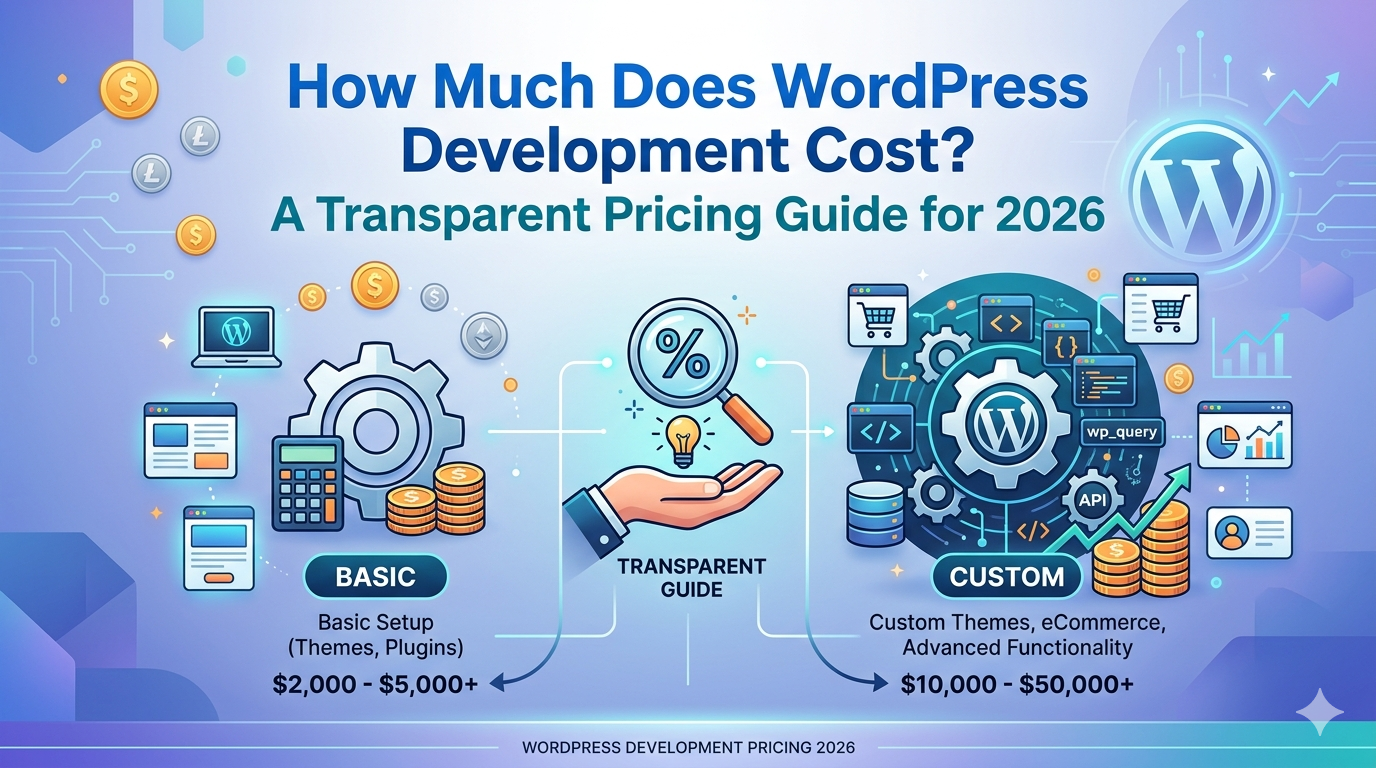
Search “how much does WordPress development cost” and you’ll find answers ranging from $500 to $100,000. Both ends of that range exist and neither one helps you figure out what to budget for your actual project.
The problem isn’t that agencies are hiding the numbers. It’s that “WordPress development” describes wildly different scopes of work. A freelancer installing a $40 theme and a team building a custom WooCommerce platform with proprietary business logic are both “doing WordPress development.” They have almost nothing else in common.
This guide breaks the market into five honest tiers, tells you what you actually get at each level, shows you the costs most agencies don’t mention upfront, and gives you a framework to evaluate a quote when you get one.
Why WordPress Development Costs Vary So Much
Three variables drive nearly all of the pricing difference:
1. Template vs. custom: Installing and configuring a pre built theme takes days. Building a custom theme from code takes weeks. The resulting performance, maintainability, and design quality are fundamentally different and so is the price.
2. Who builds it: A US agency, an offshore agency, a US based freelancer, and an offshore freelancer each carry different rates, accountability structures, and total costs of ownership. Clutch’s web development pricing data confirms that boutique US agencies typically run $6,000–$12,000 for small business projects. Lower hourly rates don’t always mean lower total cost.
3. Project scope: A 5 page brochure site and a WooCommerce store with custom payment integrations, subscription billing, and a product configurator both run on WordPress. The scope difference is enormous. The price reflects it.
Once you understand which tier your project actually falls into, the pricing gets much clearer.
The 5 Cost Tiers of WordPress Development
Tier 1: DIY with a Page Builder ($0–$500/year)
Tools like Elementor, Divi, or Beaver Builder on shared hosting let you build a WordPress site without a developer. Add a domain, hosting, and a premium theme and your annual cost is typically $100–$500.
Who it’s actually for: Pre revenue side projects, personal sites, non critical online presences where professional quality and SEO performance aren’t business requirements.
What you get: A site you own and can edit yourself, without writing any code.
What you don’t get: Clean custom code, reliable Core Web Vitals scores, custom functionality, or a design that stands out. Page builder sites typically score 40–65 on Google PageSpeed mobile low enough to hurt search rankings and lose mobile visitors.
Real cost: Time. Most first time DIY builds take 30–60+ hours, and ongoing maintenance (updates, troubleshooting, broken layouts after plugin conflicts) is an ongoing time tax.
Tier 2: Template Based Agency or Freelancer Build ($1,500–$5,000)
A professional buys a premium theme, customizes it to match your brand, populates your content, and delivers a polished looking site. Most “affordable WordPress websites” fall here.
Who it’s for: Businesses that need a credible digital presence quickly at a tight budget.
What you get: A professional looking site, basic SEO setup (meta titles, Yoast configuration), and usually some CMS training.
What you don’t get: Custom code, predictable performance, or code you can extend cleanly. Pre built themes ship with CSS and JavaScript for every possible layout option including the ones your site never uses. That dead code adds page weight and slows load times.
Typical timeline: 2–4 weeks.
The catch: Template sites are fast and affordable to build. They’re often slow and expensive to maintain, extend, or eventually replace. Plan for a rebuild within 2–3 years if your business grows past the template’s limits.
Tier 3: Custom Designed WordPress Site ($5,000–$15,000)
This is where real custom WordPress development starts. A custom theme is built from scratch no pre built template, no page builder. The code is purpose written for your site’s specific structure and content.
Who it’s for: Established businesses where the website is a primary lead source and performance, design quality, and long term maintainability matter.
What you get:
A custom theme in clean PHP, HTML, CSS, and JavaScript
Mobile first, Core Web Vitals ready from day one
SEO architecture built in: clean URL structure, schema markup, optimized heading hierarchy
A staging environment for safe changes post launch
Code that’s designed to be extended, not patched
Performance difference: Custom built sites regularly score 85–98 on Google PageSpeed mobile. Template based sites typically score 40–65. That gap directly affects search rankings, bounce rate, and conversion rate. Google’s Core Web Vitals documentation explains how these metrics translate to real ranking signals.
Typical timeline: 4–8 weeks.
For most small businesses with a legitimate SEO strategy, this tier delivers the best return on investment.
Tier 4: Custom WordPress + WooCommerce ($10,000–$30,000)
A full custom WordPress build with WooCommerce configured and customized for your specific e-commerce needs.
At this tier, “WooCommerce development” means more than enabling the plugin. It includes:
- Custom product catalog structure and taxonomy
- Payment gateway integration (Stripe, PayPal, Braintree, Buy Now Pay Later options)
- Shipping configuration and carrier integration
- Custom checkout flow reducing friction at the most critical conversion point
- Mobile first checkout optimization (a broken mobile checkout is the #1 cause of abandoned carts)
- Inventory management and fulfillment workflow setup
Who it’s for: Small to mid volume e-commerce businesses that need a professional store built to perform, not just function.
Typical timeline: 6–12 weeks depending on catalog size, integration complexity, and client content delivery.
Tier 5: Enterprise WordPress / Complex Platform ($25,000–$80,000+)
Custom plugins, multi language architecture, membership and gating systems, high traffic server architecture, API integrations with external business systems. WordPress is used as the CMS and content delivery layer; custom PHP powers the business logic underneath.
Who it’s for: Businesses with complex data requirements, large user volumes, or proprietary functionality that needs to run alongside content management.
Typical timeline: 12–20+ weeks.
This tier blurs the line between WordPress development and custom software development. The difference is that WordPress still handles the content layer so non technical teams can manage the site without a developer on call.
What’s Actually Included at Each Price Point
Most agencies quote a number without specifying what that number covers. Here’s what to expect at each tier:
| Feature | Tier 2 ($1.5K–$5K) | Tier 3 ($5K–$15K) | Tier 4 ($10K–$30K) |
|---|---|---|---|
| Custom design | ❌ Template based | ✅ Bespoke | ✅ Bespoke |
| Custom theme code | ❌ | ✅ | ✅ |
| Core Web Vitals optimization | ❌ | ✅ | ✅ |
| E-commerce (WooCommerce) | ❌ / add on | ❌ / add on | ✅ |
| Custom plugin development | ❌ | ❌ / add on | ✅ |
| SEO architecture | Basic | ✅ | ✅ |
| Staging environment | Rarely | ✅ | ✅ |
| QA process | Minimal | ✅ | ✅ |
| Post launch support | Ad hoc | Retainer option | ✅ |
| Typical timeline | 2–4 weeks | 4–8 weeks | 6–12 weeks |
When comparing quotes, map each quote to this table. A $4,000 quote for “custom WordPress” that doesn’t include a custom theme, staging environment, or post launch support is a Tier 2 build at a Tier 2 price even if it’s marketed as more.
Hidden Costs Most Agencies Don’t Mention Upfront
The build quote is only the beginning. Plan for these ongoing costs:
Hosting: $20–$150/month depending on your traffic, server requirements, and whether you’re on managed WordPress hosting (faster, better security, higher cost) or basic shared hosting (cheaper, more hands on management).
Premium plugins: Many WordPress builds depend on paid plugins Advanced Custom Fields Pro, WooCommerce extensions, SEO tools, security plugins, backup systems. Budget $200–$600/year for premium plugin licenses.
SSL certificate: Usually included with quality hosting. Not always. Confirm before signing.
Content creation: Development quotes almost never include copywriting, photography, or video. If you need content created, budget separately or expect delays when the developer is waiting on your draft copy.
Ongoing maintenance: WordPress core, themes, and plugins release updates regularly. Unpatched vulnerabilities are the leading cause of WordPress site compromises. A managed maintenance retainer runs $150–$500/month and covers updates, security monitoring, backups, and uptime alerting. If you’re not paying for maintenance, someone on your team is absorbing the time cost and security risk.
Future changes: A template based site often requires a developer to make layout changes that a custom site’s editor interface handles easily. That friction adds up in developer hours.
Realistic annual running cost of a properly maintained WordPress site beyond the initial build: $1,200–$3,500/year in hosting, plugins, and maintenance.
Why Cheap WordPress Development Usually Costs More Long Term
The failure modes are predictable:
Security compromises: Outdated plugins and abandoned themes are how most WordPress sites get hacked. Remediation after a compromise costs $1,000–$5,000+ in developer time, plus whatever damage was done to your SEO if Google flagged the site as malicious. An unmaintained $3,000 template site has real financial exposure.
Performance debt: A slow site hurts rankings and conversions. You can invest in optimization after the fact, but rebuilding performance into a template site usually means rebuilding the site.
Rebuild timing: The average template based site reaches its limits within 2–3 years at which point the business has outgrown it and needs a rebuild. A properly built custom site at Tier 3 typically serves the business for 5+ years without architectural changes.
The math: A $3,000 template build that requires a $9,000 custom rebuild at year 2 costs $12,000 over three years. A $9,000 custom build that runs cleanly for five years costs $9,000 over the same period and performs better the entire time.
US Agency vs. Offshore vs. Freelancer: The Real Cost Comparison
The hourly rate difference between a US agency and an offshore freelancer looks compelling until you factor in total cost of ownership.
| US Agency | Offshore Agency | US Freelancer | Offshore Freelancer | |
|---|---|---|---|---|
| Typical rate | $100–$200/hr | $25–$60/hr | $50–$120/hr | $15–$40/hr |
| Project management | Included | Variable | You manage | You manage |
| Design | In house | Variable | Usually separate | Usually separate |
| QA process | Defined | Variable | Minimal | Minimal |
| Accountability | High | Variable | Low–Medium | Low |
| Communication | Synchronous | Often async | Variable | Often delayed |
| Post launch support | Defined | Variable | Ad hoc | Ad hoc |
Lower hourly rates mean less if you’re spending 5+ hours per week managing the project, handling miscommunications, and absorbing QA gaps. For projects where your website is a primary revenue driver, the reliability and accountability structure of a US agency typically pays for itself.
For smaller, well scoped tasks where the risk is low, a freelancer is a reasonable choice. We’ve laid out the full decision framework in our agency vs. freelancer guide.
How to Evaluate a Quote (Without Being a Developer)
When you receive a quote, ask these questions:
Is this a custom theme or a customized pre built theme? The answer tells you immediately which tier the quote represents.
What are your PageSpeed scores on recent builds? Ask for a live URL and check it yourself at PageSpeed Insights. Scores below 70 on mobile are a concern.
What does post launch support look like? Get specifics. “We’ll be available” is not a support plan.
What is your QA process before launch? A professional agency has a defined checklist. Ad hoc QA means you find the bugs after launch.
What does your maintenance retainer include? Updates, backups, security monitoring, and a defined response process are baseline expectations.
A well priced quote from an agency that answers these questions confidently is a better investment than the cheapest quote from one that hedges.
What DevVerx Charges for WordPress Development
DevVerx builds in the Tier 3–4 range for most projects: custom themes built from code, performance optimized from day one, with a defined QA process and post launch support structure. With a 4.8/5 verified client rating across 15+ years of US small business projects, we’re not the cheapest option but we deliver measurably better results than template based builds.
We’re not the cheapest option. We’re also not close to enterprise pricing. The difference between a DevVerx build and a Tier 2 build is measurable in PageSpeed scores, search rankings, and how long the site runs before needing significant work.
For a specific quote based on your actual requirements not a range, but a real number book a free strategy call with our team. We’ll scope the project properly and tell you what it should cost.
Explore our WordPress development services to see what a full engagement includes.
Frequently Asked Questions
Is $5,000 enough for a custom WordPress site?
It’s at the low end of custom work. At $5,000 you can get a clean custom theme on a modest site (5–8 pages, no complex functionality, no e-commerce). For most established small businesses, $7,500–$12,000 is the realistic range for a proper custom build with performance optimization, SEO architecture, and a post launch support path.
Should I use Wix or Squarespace instead to save money?
For a purely informational site with low SEO ambitions, hosted platforms are a reasonable option. For businesses that need strong search rankings, e-commerce, custom functionality, or significant content volume, the limitations of Wix and Squarespace become expensive constraints. You’ll pay for workarounds or rebuild on WordPress anyway often within 1–2 years.
How much does ongoing WordPress maintenance cost?
$150–$500/month for managed maintenance covering updates, security monitoring, daily backups, uptime alerting, and a defined issue resolution process. DIY maintenance is technically free but costs staff time and introduces the security risk of missed updates.
What’s the difference between a WordPress website and a WordPress web application?
A WordPress website uses WordPress to deliver content: pages, blog posts, product listings, contact forms. A WordPress web application uses WordPress as the CMS layer while custom PHP handles complex business logic user dashboards, proprietary algorithms, subscription systems, or multi tenant data. The latter falls in Tier 5 pricing.
How much more expensive is US WordPress development vs. offshore?
US agency rates run $100–$200/hour. Offshore agencies typically run $25–$60/hour. On a 100 hour project, that’s a $7,500–$14,000 gap on paper. In practice, offshore projects often take longer due to communication overhead and timezone gaps, and quality control requires more management from your side. For straightforward projects with clear specs, offshore can work. For complex projects where your site is a revenue driver, the accountability gap is expensive.
Can I start with a template and upgrade to custom later?
Technically yes, but the upgrade is usually a rebuild rather than an enhancement. Template based sites aren’t architected to be extended with custom code the theme structure, plugin dependencies, and page builder markup make clean custom development difficult to layer on top. If you know you’ll want custom functionality within 2–3 years, it’s almost always cheaper to build custom from the start.
The Bottom Line
WordPress development pricing ranges from $0 (DIY) to $80,000+ (enterprise custom platform). The right number for your project depends on what you’re building and what you need it to do.
For most small businesses with a real SEO and lead generation strategy, the Tier 3 range $7,500–$15,000 for a custom built WordPress site delivers the best long term return. For e commerce, budget $12,000–$25,000 for a custom WooCommerce build.
If you want a number specific to your project, not a range: get a free quote from DevVerx. We’ll scope it properly and give you a real answer.
For a broader look at how WordPress fits into your overall digital presence, see our complete WordPress development agency guide.