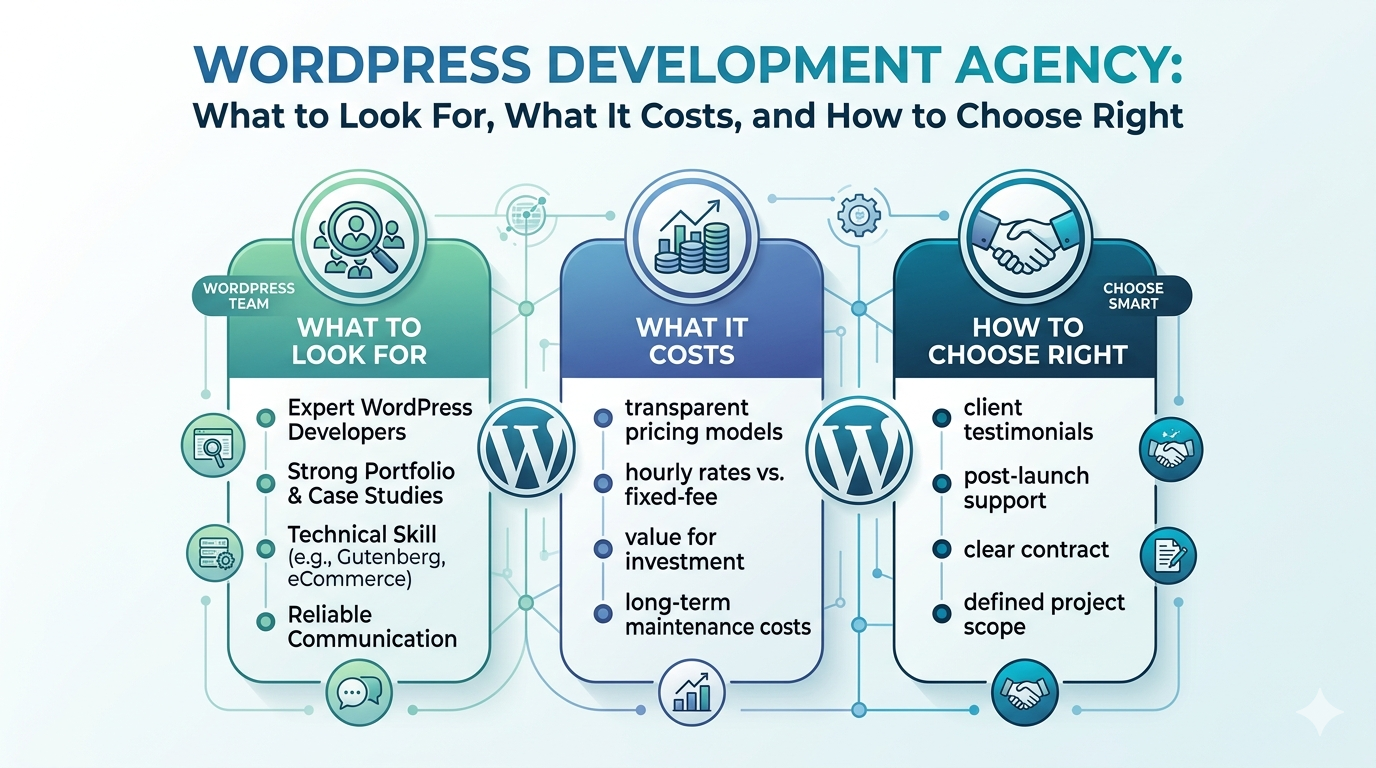
Most businesses searching for a WordPress development agency choose wrong not because good agencies don’t exist, but because they don’t know what to look for.
The search results are full of options. Agency websites all say roughly the same things: experienced team, fast turnaround, competitive pricing, and a client list you can’t verify. Without a way to distinguish a serious WordPress agency from a shop that installs themes and calls it custom development, most buyers default to price and that’s where the trouble starts.
The gap between a $2,000 theme install and a properly built custom WordPress site shows up in load time, conversion rate, security posture, and the total cost of ownership over three years. Two sites can both technically “run WordPress” and perform completely differently.
This guide is for business owners who want to make an informed decision. We’ll walk through what a WordPress development agency actually does, what separates good agencies from bad ones, what realistic pricing looks like, and how to evaluate your options without getting sold something you don’t need.
We build both WordPress and fully custom sites at DevVerx. That means we don’t have a financial reason to push you one direction. The right choice is the one that fits your business.
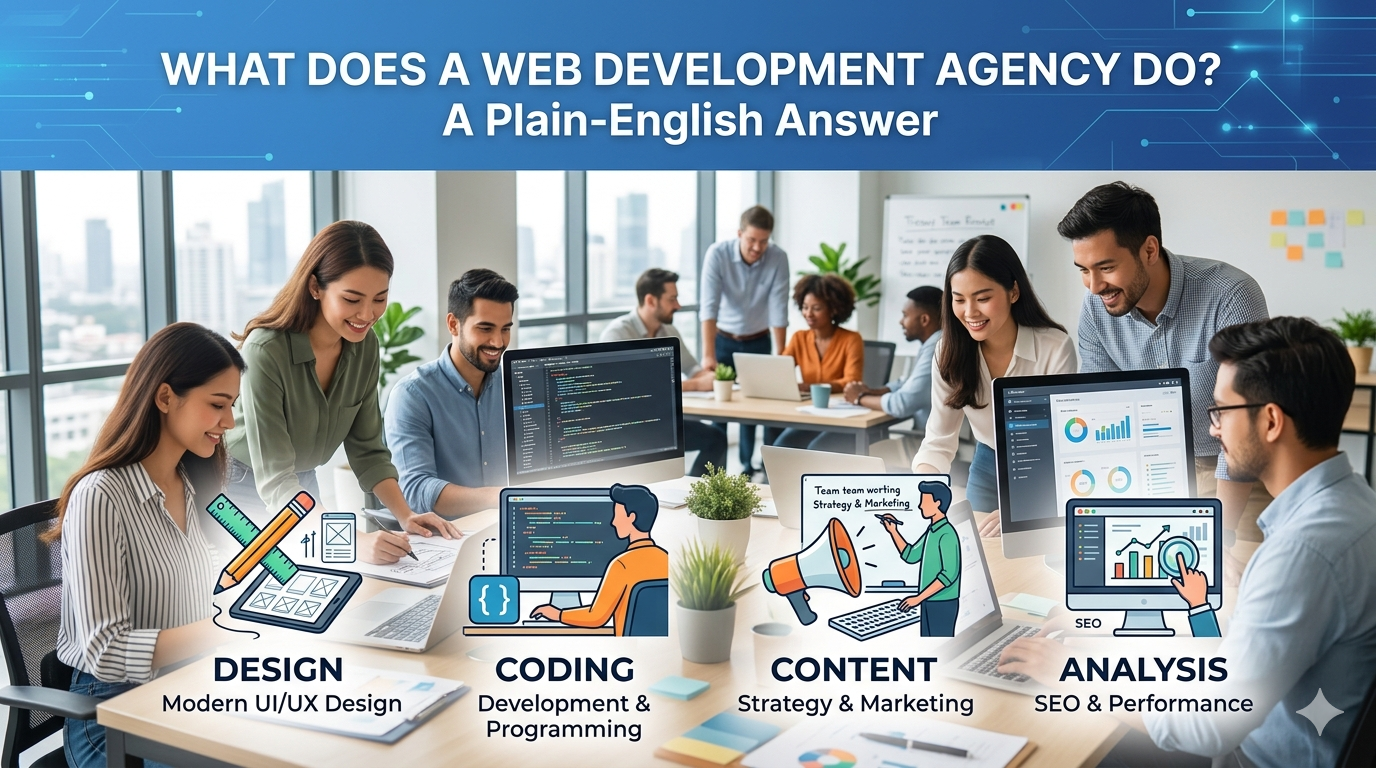
What Does a WordPress Development Agency Actually Do?
The term “WordPress development” covers an enormous range of work from a freelancer who installs a $50 theme to a full agency building a bespoke platform with custom plugins, performance architecture, and ongoing technical support. If you don’t understand the spectrum, you can’t evaluate a quote.
Beyond installing themes: what custom WordPress development really involves
Most of what’s sold as “WordPress development” is actually WordPress configuration: install WordPress, buy a theme from ThemeForest or load up Elementor, customize the colors and copy, and deliver the site. This isn’t development. It’s assembly. The result is a site bloated with unnecessary CSS and JavaScript, often failing Core Web Vitals benchmarks before the first visitor arrives.
A real WordPress development agency builds differently:
- Custom theme development from scratch: No page builder, no pre built theme. The theme is written in PHP, HTML, CSS, and JavaScript, purpose built for your site’s specific structure. Leaner code means better performance.
- Custom plugin development: When off the shelf plugins don’t cover a specific business requirement a custom booking flow, a proprietary pricing calculator, a members only content system developers write the plugin themselves.
- Performance architecture: Caching, image optimization pipelines, lazy loading, code splitting, and server level configuration. Real optimization is built into the site’s architecture, not bolted on afterward.
- Security hardening: Proper user roles, hardened wp config, file permission management, login protection, and staging environments for safe deployments.
- SEO ready markup: Clean URL structure, schema markup, XML sitemap, proper heading hierarchy built in from day one, not patched in after launch.
If an agency can’t explain how they approach any of these, they’re not doing custom WordPress development.
The difference between a WordPress freelancer and a full service agency
A freelancer is one person. Usually they specialize in one part of the stack front-end development, or back-end logic, or WordPress specifically. For a simple, well defined task, that’s often enough.
An agency is a team: developers, designers, a project manager, QA testers, and sometimes a strategist. That team structure creates accountability that a single freelancer can’t provide.
Here’s where it matters practically:
- When your designer and developer are the same person, design revisions go through the development queue. Project timelines slip.
- When there’s no QA process, you find bugs after launch in front of your customers.
- When your developer disappears mid project (it happens far more often than anyone admits), you’re starting over from scratch.
An agency absorbs those risks. The overhead in an agency’s pricing pays for project management, QA, design review, and continuity. For a small isolated task, that overhead may not be worth it. For anything your business depends on, it usually is.
If you’re deciding between an agency and a freelancer more broadly, we’ve covered that decision in detail here.
WordPress.com vs. WordPress.org what your agency should be building on
This trips up a lot of buyers. There are two distinct things that use the WordPress name:
WordPress.com is a hosted service run by Automattic. You get a subdomain (yourbusiness.wordpress.com), limited customization, and Automattic controls the infrastructure. It’s designed for personal blogs, not professional business sites.
WordPress.org is the open source software the version every professional developer downloads and installs on a hosting server they control. You own the installation, you can install any plugin, you can modify any part of the code. This is what every legitimate WordPress development agency builds on.
If an agency isn’t clear about this distinction, that’s a signal. Any experienced WordPress shop knows the difference because it’s fundamental.
Why WordPress Is Still the Right Choice for Most Small Businesses in 2026
WordPress powers 43% of all websites on the internet. That market share didn’t happen by accident, and it hasn’t eroded despite years of competition from newer platforms. For most small to medium businesses, WordPress remains the most practical and cost effective foundation for a professional website.
Market share, flexibility, and ecosystem maturity
The WordPress ecosystem is genuinely enormous: 60,000+ plugins in the official directory, a global developer talent pool, and decades of documentation, community support, and third party integrations. Whatever your business needs a booking system, a membership portal, a product catalog, a multi language site the infrastructure already exists in the WordPress ecosystem.
That maturity also matters for talent. If you build your site on a niche platform or a proprietary stack, you’re dependent on developers who know that specific technology. WordPress developers are everywhere. Switching agencies or bringing work in house is straightforward.
When WordPress makes sense and when it doesn’t
WordPress is the right foundation for:
- Brochure and service sites: What most small businesses actually need a professional digital presence that loads fast, ranks on Google, and converts visitors into leads
- Content heavy sites and blogs: WordPress was built for content publishing and it remains best in class for it
- WooCommerce stores: WordPress’s native e-commerce layer powers 29% of all online stores globally; for small to mid volume retail, it’s a strong choice
- Sites where non technical staff update content: The WordPress editor is accessible. Marketing teams, ops staff, and founders can update pages, add blog posts, and change content without a developer on call
WordPress is the wrong choice for:
- Complex web applications: Custom business logic, real time features, proprietary algorithms, or high scale API infrastructure belong on a custom stack
- SaaS platforms: Multi tenant architecture, user dashboards, subscription billing systems, and app like functionality hit the limits of what WordPress was designed to handle
- Proprietary data processing: If your core product is software logic, not content delivery, you need custom development
If you’re not sure which side of that line your project sits on, we’ve put together a full comparison of WordPress vs. custom development that includes a five question decision framework.
Custom WordPress vs. off the shelf templates: the performance difference
This is the distinction that most agency comparisons skip over, because most agencies don’t offer both options.
An off the shelf template (Elementor, Divi, Avada, any ThemeForest theme) ships with code for every possible layout, feature, and design option most of which your site will never use. That unused code still loads on every page. The result: bloated page weight, slow render times, and Core Web Vitals scores that drag down your Google rankings.
A custom WordPress theme is written for your site and nothing else. Every component is purposeful. There’s no dead code. The performance difference is measurable:
- Page weight often drops from 3–5MB (template) to under 1MB (custom)
- Largest Contentful Paint (LCP): a primary Core Web Vitals metric regularly improves from 4–6 seconds to under 2 seconds
- Google PageSpeed scores routinely jump from the 40–60 range to 85–98
Those aren’t vanity metrics. Google uses Core Web Vitals as a ranking factor. A faster site ranks better, holds visitors longer, and converts at a higher rate. The extra cost of custom theme development pays for itself.
Core Services a WordPress Development Agency Should Offer
Not every WordPress agency offers the full stack of services. Here’s what a capable agency should have in house and what to ask about each.
Custom theme development
This is the foundation. A legitimate WordPress agency builds custom themes from code, not from page builder templates. Ask to see their portfolio and specifically ask: Is this a custom theme or a customized off the shelf theme? If they hedge or can’t tell you confidently, assume it’s the latter.
A well built custom theme includes: mobile first responsive design, accessibility compliance, semantic HTML, optimized asset loading, and a structured template hierarchy that makes future changes clean and predictable.
Plugin development and third party integrations
Off the shelf plugins handle the common cases. Custom plugin development covers everything else: connecting your CRM to your contact forms, building a pricing calculator specific to your service model, integrating a third party booking API, or creating a custom post type for your product catalog.
Ask any WordPress agency: What do you do when an off the shelf plugin doesn’t fit the requirement? The right answer involves building a custom solution. The wrong answer involves stacking plugins until something works.
WooCommerce and e-commerce development
WooCommerce is WordPress’s native e-commerce extension. Out of the box, it handles the basics product listings, cart, checkout, payment processing. Custom WooCommerce development goes further: custom product configurators, subscription billing, wholesale pricing rules, B2B account management, and inventory integrations with fulfillment systems.
If e-commerce is part of your project, make sure the agency has built WooCommerce stores at a meaningful scale not just enabled the plugin on a template site.
Speed and performance optimization
Core Web Vitals Google’s framework for measuring page experience are now a confirmed ranking factor. LCP (Largest Contentful Paint), CLS (Cumulative Layout Shift), and FID (First Input Delay) scores directly affect where your site appears in search results.
Real performance work goes beyond installing WP Rocket and calling it done. It involves image pipeline optimization, server level caching configuration, critical CSS extraction, JavaScript deferral, and third party script management. Ask for PageSpeed scores on sites the agency has built and maintained, not just launched.
Ongoing maintenance and support
A website isn’t a one time product it’s a system that requires ongoing attention. WordPress core, themes, and plugins release updates regularly. Unpatched vulnerabilities are the most common source of WordPress site compromises. Content changes, new pages, and feature additions need a reliable technical partner.
“Launch and leave” is a red flag. A serious WordPress agency offers a defined maintenance structure: update management, uptime monitoring, security scanning, backup verification, and a clear process for raising issues and getting them resolved. Ask exactly what the post launch relationship looks like before you sign a contract.
How to Evaluate a WordPress Development Agency
Comparing agencies purely on price leads to bad decisions. Here’s a more useful framework.
Portfolio questions to ask before signing
The portfolio is the single most important evaluation tool. But don’t just look at screenshots dig deeper:
- “Can you show me the live site?” Screenshots can be outdated or from before major degradation. A live site tells you what the current state is.
- “What is the PageSpeed / Core Web Vitals score on this site today?” Run it through Google PageSearch Insights yourself. Scores below 70 on mobile are a concern.
- “Is this a custom theme or a customized pre built theme?” You want custom.
- “Did you build this from scratch, or take over an existing site?” Both are valid, but the answer changes what the portfolio actually demonstrates.
- “What was the business outcome for this client?” An agency that thinks in terms of outcomes, not just deliverables, is more likely to be a genuine partner.
Technical checklist: what a quality build delivers
Before launch, a well built WordPress site should check every box on this list:
- [ ] Core Web Vitals: LCP < 2.5s, CLS < 0.1, INP < 200ms
- [ ] Mobile performance: Google PageSpeed mobile score ≥ 80
- [ ] SSL and HTTPS: Properly configured, no mixed content errors
- [ ] Clean URL structure: Logical, keyword aware, no parameter soup
- [ ] Schema markup: Organization, breadcrumb, and relevant content types
- [ ] XML sitemap: Submitted to Google Search Console
- [ ] Staging environment: Changes tested before pushing to production
- [ ] Backup system: Automated daily backups with tested restore process
- [ ] User roles: Proper permissions so editors can’t break what they shouldn’t touch
Engagement models: fixed scope vs. retainer vs. hybrid
How the agency structures the engagement affects both budget certainty and project flexibility.
Fixed scope: The project has a defined spec, a defined price, and a defined delivery date. Good for: clearly understood projects where requirements are unlikely to change. Risk: scope changes become change orders.
Retainer: You pay a monthly fee for a defined block of hours or ongoing services. Good for: evolving projects, sites with regular content or feature updates, businesses that want an on demand technical partner. Risk: if the relationship isn’t well managed, retainer hours get wasted on low value tasks.
Hybrid (build + maintenance): A fixed scope engagement for the initial build, transitioning to a maintenance retainer post launch. This is the most common model for businesses that want certainty on the initial investment and continuity afterward. It’s also how DevVerx typically structures long term client relationships.
Red flags that signal the wrong WordPress agency
Not all red flags are obvious. Watch for:
- No portfolio or vague portfolio: If they can’t show you work, there isn’t much work to show.
- Instant quotes without project scoping: A professional agency asks questions before quoting. If they send a number without understanding your requirements, that number isn’t real.
- “We use Elementor/Divi for everything”: Page builders are not custom development. Ask directly.
- No mention of performance or Core Web Vitals: Any agency that doesn’t bring this up isn’t thinking about your site’s long term health.
- No staging or QA process: Changes made directly to a live site are changes made without a safety net.
- Vague post launch support: “We’ll handle any issues” is not a support plan. Get specifics in writing.
- No US based point of contact: Offshore development isn’t inherently a problem many excellent agencies have offshore teams. But if there’s no US based project manager or account owner who is accountable to you and operates in your time zone, the relationship will be difficult.
How Much Does WordPress Development Cost?
WordPress development pricing varies more than almost any other service category in digital because “WordPress development” can mean anything from a $500 theme installation to a $60,000 custom platform build. Here’s a realistic breakdown:
| Project Type | Typical Range |
|---|---|
| Template based WordPress site | $1,500–$5,000 |
| Custom WordPress theme (no e-commerce) | $5,000–$15,000 |
| Custom WordPress + WooCommerce store | $8,000–$25,000+ |
| Complex WordPress web application | $20,000–$60,000+ |
| Ongoing maintenance retainer | $150–$500/month |
What drives the wide range: complexity of design, custom functionality requirements, number of page templates, e-commerce scope, third party integrations, and post launch support structure.
The low end of each range reflects simpler implementations fewer pages, fewer custom features, fewer integrations. The high end reflects complex projects with custom plugin development, large content architectures, or high performance requirements.
One honest note: the cheapest quote is rarely the cheapest outcome. A $2,500 template site that needs a full rebuild in 18 months costs more than a $9,000 custom site that runs clean for five years.
For a full breakdown of WordPress development pricing by project type, feature scope, and what’s worth paying more for see our complete WordPress development cost guide.
How Long Does WordPress Development Take?
Timelines depend on project complexity, the agency’s capacity, and critically how quickly your team can provide content, approvals, and feedback.
| Project Type | Typical Timeline |
|---|---|
| Template based site | 2–4 weeks |
| Custom WordPress theme site | 4–8 weeks |
| Custom WooCommerce store | 6–12 weeks |
| Complex WordPress platform | 12–20 weeks |
The most common reasons projects run long:
- Content delays: Agencies can build the containers; only you can fill them. Waiting on final copy, images, and product descriptions stalls projects at the final mile.
- Scope changes mid build: Additions after kickoff extend timelines proportionally. The fix is a thorough discovery phase before development begins.
- Approval bottlenecks: If design sign off requires multiple stakeholders, build review checkpoints into the timeline from the start.
- Unclear requirements: The single biggest driver of delay and cost overrun. A professional agency runs a formal kickoff to align on requirements before writing code.
A realistic agency will give you a timeline with clearly defined milestones and flag scope changes as they arise not absorb them silently and miss the deadline.
What Makes DevVerx Different as a WordPress Agency
We’ve been building WordPress sites since the early 2010s, and we’ve learned what most agencies figure out the hard way: the technical execution is only half the job. The other half is the relationship.
Fifteen plus years of experience: Not every agency can say they’ve been building on WordPress through every major platform evolution from classic themes to Gutenberg, from early WooCommerce to modern headless configurations. That depth of experience matters when a client’s edge case doesn’t fit the standard playbook.
4.8/5 client rating: Verified by real clients, not a marketing claim. Quality and affordability are not mutually exclusive our client roster proves it.
Client outcomes: Dubai Fun Tour saw a 40% increase in organic bookings within 90 days of their WordPress site relaunch because we rebuilt the UX and performance architecture, not just the design. 1World Resources needed a platform their team could manage without a developer on call; we delivered a custom WordPress build with a content management workflow their non technical staff can run independently.
We don’t walk away: Every DevVerx engagement includes a defined post launch path. Whether that’s a monthly maintenance retainer or on demand support, you’ll have a direct line to the team that built your site not a support ticket queue and a stranger on the other end.
US based project management: Your project is managed by senior team members who operate in your time zone, communicate clearly, and are accountable to you by name not anonymized behind a ticketing system.
If you’re ready to talk through your WordPress project, book a free strategy call with our team. No pitch, no pressure just a direct conversation about what you need and whether we’re the right fit.
Explore our WordPress development services to see what a full engagement includes.
Frequently Asked Questions
Should I use WordPress or build a custom website?
For most small businesses, custom WordPress development a custom built theme on the WordPress CMS is the right answer. It gives you the performance of custom code with the content management flexibility of WordPress. A fully custom build (no CMS) makes sense for complex web applications, SaaS products, or platforms with proprietary business logic. We’ve covered the full decision framework in our WordPress vs. custom development guide.
What’s the difference between WordPress.com and WordPress.org?
WordPress.com is a hosted service with limited customization and no plugin access beyond a restricted selection. WordPress.org is the open source software that any developer can install on any server. Professional development agencies build exclusively on WordPress.org. If an agency doesn’t know the difference, look elsewhere.
Can WordPress handle e-commerce?
Yes. WooCommerce, WordPress’s native e-commerce plugin, powers roughly 29% of all online stores globally. With a properly built custom WooCommerce implementation, it handles everything from simple retail stores to complex B2B catalogs, subscription billing, and multi warehouse inventory management. The key is a custom build off the shelf WooCommerce installs on template themes hit performance walls quickly at scale.
How long does WordPress development take?
Template based sites: 2–4 weeks. Custom WordPress theme sites: 4–8 weeks. WooCommerce stores: 6–12 weeks. Complex platforms: 12–20 weeks. Your timeline is also affected by how quickly your team delivers content and approvals that factor is often underestimated.
How do I know if I need a WordPress agency vs. a freelancer?
If your project requires multiple disciplines (design, development, QA), ongoing support after launch, or reliable project management, an agency is the safer choice. Freelancers make sense for isolated, clearly scoped tasks where the risk of failure is low and the scope won’t expand. We’ve laid out the full comparison in our agency vs. freelancer guide.
How do I know if an agency is actually doing custom WordPress development vs. just customizing a theme?
Ask directly: Do you build custom themes from scratch or customize pre built themes? Ask to see the code for a portfolio site, or ask for the PageSpeed score on a live site they’ve built. Elementor and Divi based builds typically score in the 40–65 range on mobile. Custom built sites should score 80+. The numbers don’t lie.
The Bottom Line
Choosing a WordPress development agency isn’t just a technical decision it’s a business decision. The agency you work with will shape the quality of your digital presence, the reliability of your platform, and whether you have a technical partner you can depend on as your business grows.
The questions to ask are straightforward: Do they build custom or configure templates? Can they show you live portfolio sites with verifiable performance scores? Do they have a defined post launch support structure? Can they explain their process in plain language without hiding behind jargon?
An agency that answers those questions clearly and honestly is worth talking to further. One that hedges, deflects, or can’t show you the work usually has a reason.
DevVerx has been building custom WordPress sites for US businesses since the early 2010s. If you want a direct conversation about your project what it should cost, how long it should take, and what to watch out for book a free strategy call. No obligations, no sales script.